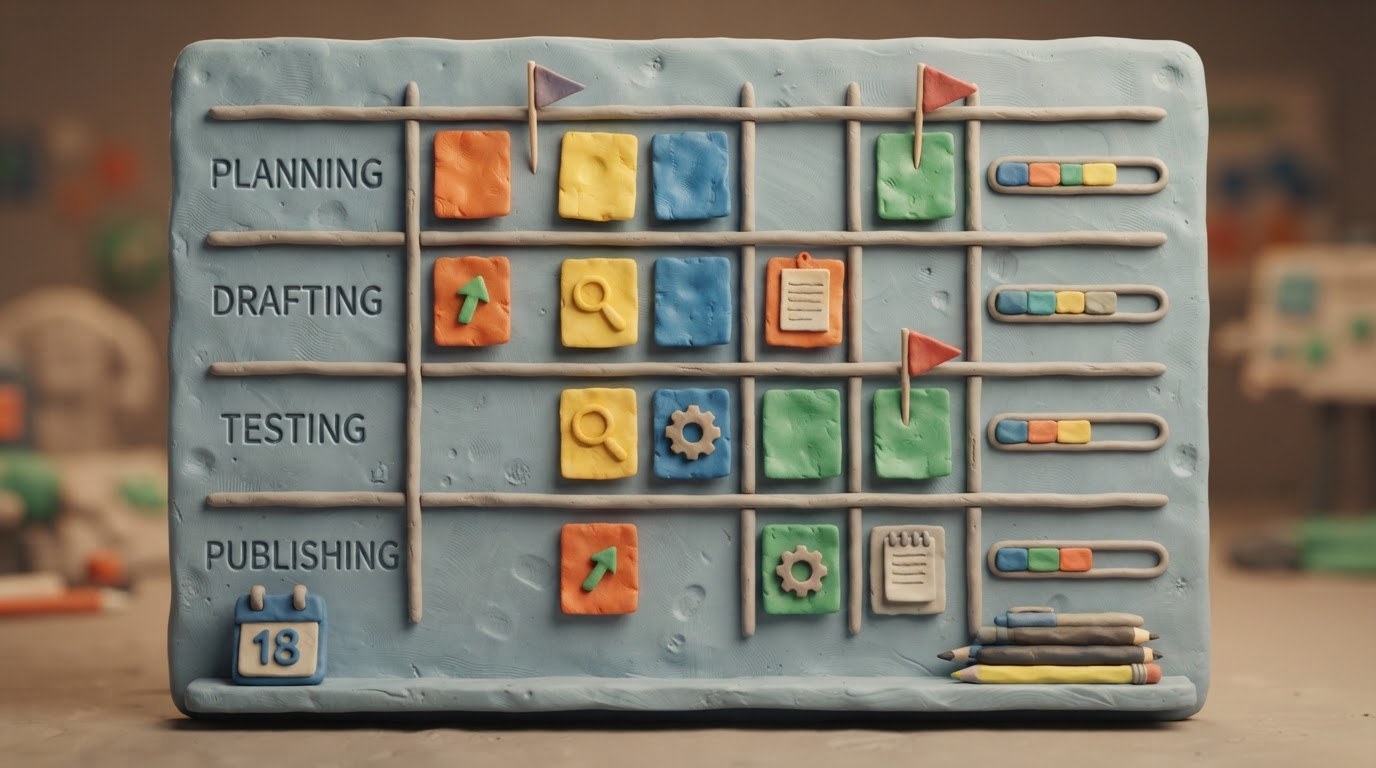


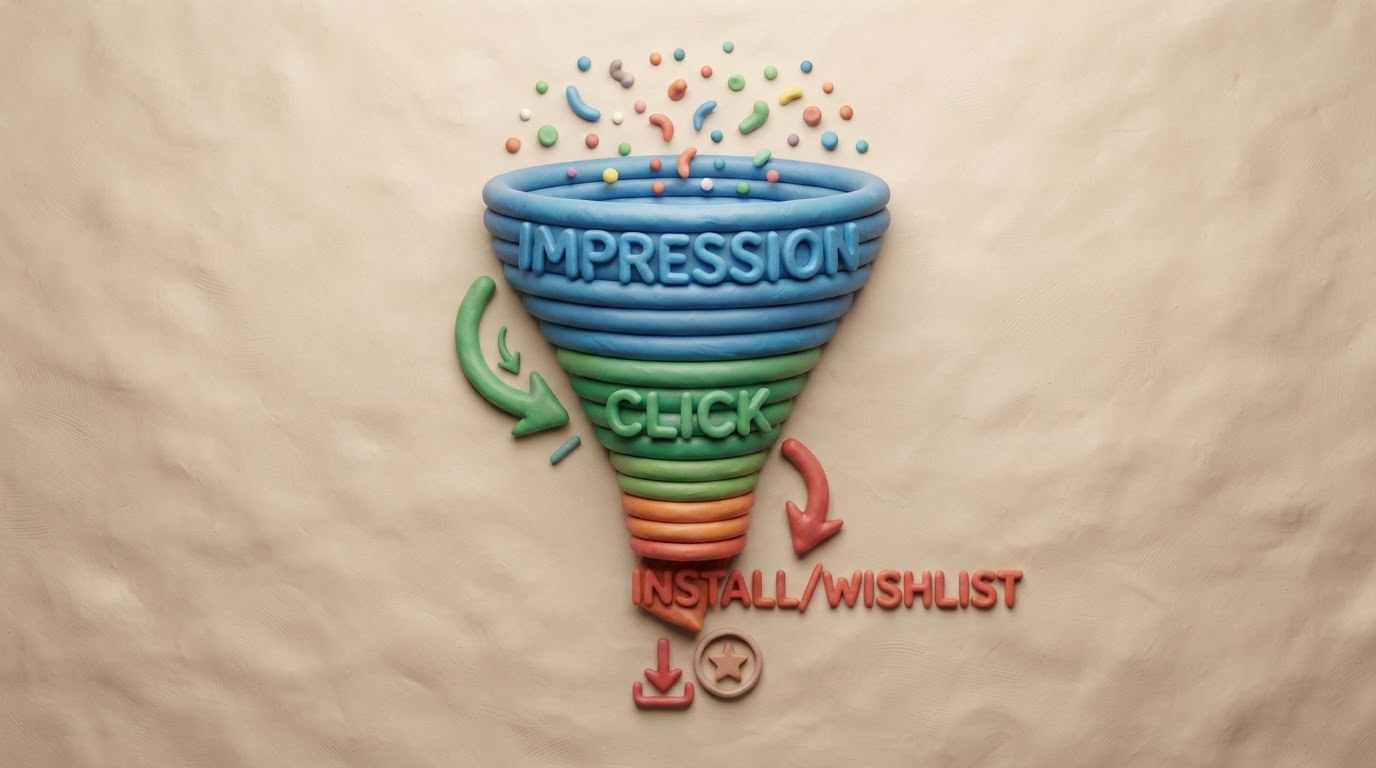
Card Architecture as a Funnel: Stage-by-Stage Metrics (impression → click → install/wishlist)
In 2026, a store page is not just a showcase; it is a managed system. Steam and mobile store algorithms rank based on probabilistic models of click-through rates and retention during the first minutes. Your task is to build an architecture where every element addresses a specific risk of user drop-off. The funnel breaks down into stages with measurable KPIs: display in feed or search (Impressions), click/page open (CTR / CVR from SERP), key action (Install for mobile, Add to Wishlist for PC). Each step has its own "bottleneck," its own diagnostic tools, and different iteration cycles.
Stage 1. Impressions: Visibility without distortion. Here, ASO semantics and tag relevance decide everything. For Google Play and RuStore, matching the query core between the title, short description, and indexable fields is critical; for App Store — the Keywords field and subtitle. In Steam, Primary Genre, Tab tags, and language attributes of screenshots carry weight. A common mistake is overloading the title with keywords for indexing at the cost of readability. KPI for this stage: share of organic impressions within target clusters, Share of Voice among top 5 competitors, traffic purity (rejecting broad irrelevant keys reduces empty impressions). Tools: Search Ads Popularity-like trend estimates from stores, Rich Presence crawling error logs on Steam, Coverage reports in developer consoles.
Stage 2. Click: Creative conversion in 3 seconds. The decision is made before scrolling through the gallery. Main drivers: the first video frame, the first two screens of short vertical videos, icon/subtitle contrast. Mobile requires native narratives for UA creatives directly inside store assets: gameplay micro-hooks, UI calls-to-action, social proof (rating, online player count badges). Steam is sensitive to the first desktop trailer frame inside the carousel and the wording of the short description above the feature list. KPIs: separate organic and paid CTR, Thumbstop Rate (first 3 seconds) for video feeds, Holdout tests comparing asset #1 vs asset #2. Monitor Creative Fatigue weekly; rotating frames every 7–14 days has become the norm thanks to dynamic media sets.
Stage 3. Landing Experience: Time to value. After the click, the user must instantly grasp the genre, difficulty, and social context. Place your Value Proposition on the first screen ("What do I do? With whom? How long is the session?"). In Steam, use Structured Highlights instead of a wall of text: short bullet points on the left, supported by art or GIF metrics on the right. On mobile, the Short Description must contain action verbs and numbers (example: "10-minute co-op raids"). KPIs: Page View-to-Wishlist Rate (PC), Bounce-like refusal via Scroll Depth < 25%, Time on Page > 25 seconds correlates with increased conversion intent.
Stage 4. Commitment: wishlist or tap Install. Call-to-action is now personalized. Steam shows predicted playtime, friend status, controller compatibility — sync SDK data so that badges are truthful. Mobile uses Pre-registration Counters and Early Access Labels; transparency of status builds trust. KPIs: Conversion to Wishlist (organic + paid landing), Cost per Wishlist at stable CR indicates a healthy structure; for mobile — IPM (installs per thousand impressions) and Day-0 Retention Predictor Score, which already influences bidding algorithms like UAC/Apple.
Closing the data loop. Link attribution using store_id parameters to your BI system, send installation postbacks back to ad accounts. This way you will see the real LTV/CPE relative to a specific gallery frame. The ultimate goal of this architecture is to turn a card from a set of media into a sequence of value proofs, where every change is verified by A/B design with sufficient sample size, and decisions are made based on changes in Stage-to-Stage Drop-off greater than statistically significant 3–5%.
Creative System: A Hook in 3 Seconds, a Screenshot Grid, and an Auto-Play Video Preview
In 2026, a game's store page is not just a showcase; it's a controlled funnel. The first three seconds decide everything: the user swipes through recommendation feeds or search results at high speed, ranking algorithms fix micro-metrics of attention (preview CTR, retention in the first few seconds), and only then do they show your full page. Your task is to assemble a creative system from three layers: an instant "hook," a proof block in the grid, and a seamless continuation via a trailer.
Layer 1. The Hook in 3 Seconds. Steam video previews now start silently with subtitle hints; sound connects on tap or cursor focus. On mobile, Google Play and RuStore use Loop-videos without controls until interaction. This means the opening frames must be readable without audio and contain one ultra-clear idea. Don't try to show the entire feature set. Choose one conflict or promise: a unique character move, physics reaction, or rare visual contrast of a location. Avoid banners like "Game of the Year" and logos longer than a frame—they consume attention. Make text overlays large grotesque fonts with high contrast against gameplay glare, adding slight appearance animation to lock the gaze. For PC audiences, add a micro-detail of control (e.g., an ability flash on Right Mouse Button) as a genre anchor.
Layer 2. Screenshot Grid as Argumentation. Screenshots are no longer just pretty concept art; they are sequential proofs of value after clicking the preview. The rule of eight panels works consistently: Frame 1 reinforces the genre marker (UI/indicators); Frame 2 shows the key mechanic in action; Frame 3 reveals progression or buildcrafting; Frame 4 demonstrates social elements or co-op; Frame 5 gives world scale or level design verticality; Frame 6 confirms performance (Framerate metrics visible in the corner for some users on Steam Deck/ROG Ally); Frame 7 highlights art direction through a unique palette; Frame 8 closes the page CTA—roadmap, season pass, editor. Use safe zones for mobile store versions: keep the center of gravity of the composition within the central third so that crops for different aspect ratios don't kill the meaning.
Layer 3. Trailer as Experience Continuity. After clicking the preview, the viewer should receive the same editing rhythm but expanded context. Preserve color grading, cut speeds, and musical pulse. If the preview was about a tense PvP moment, don't throw the viewer into a slow tutorial. Divide the long video into chapters using YouTube-style chapter markers inside the embedded Steam player—this increases watch depth. For mobile, prepare a separate version lasting 20–25 seconds: App Store and RuStore aggressively trim the length of auto-play blocks outside the card. Be sure to export an HDR Rec.2100 PQ variant for platforms that support it, and an SDR clone with careful shadow compression—otherwise, dark scenes will turn into mud on cheap OLED phones.
Technical Pipeline and A/B Testing. Assemble the grid in tools like Canva for Games or Figma using variables for quick localization generation. Legally embed clean fonts into MP4s via bitmap subtitles to avoid issues with stores. Test at least two hook vectors: mechanics vs. atmosphere. Run experiments via Experiments on Steam and Custom Store Listings in Google Play. Key stage metrics: Viewer Conversion to Page (percentage transition from preview view to page open) and First Panel Hold (retention on the first screenshot for more than 1.5 sec). If the first drops—change the first 3 seconds; if the second—reassemble the grid composition, strengthening the area of interest with color and movement.
Trailer and Vertical Videos: First Frames, Subtitles, Sound-Off Design, and Adaptation for Shorts/Reels/TikTok
In 2026, a store page is not a showcase with a single "hero" video, but a package of videos for different entry points. Steam requires a horizontal trailer (16:9) in the header, but Discovery Queue algorithms increasingly feed micro-videos from the media library. Mobile lives on short formats: YouTube Shorts, TikTok, Reels; RuStore actively promotes short clips within its catalog. Your task is to assemble a video pack where each clip works autonomously with sound off, hooks the viewer in the first second, and leads to action without a single word from a narrator.
The first three seconds decide the CTR. Start with gameplay action or visual contrast, avoid logos longer than one or one-and-a-half frames. On mobile, keep safe zones away from platform interfaces: top/bottom margins ~10–12%, side margins ~6%. Place text large, one thought per screen, up to 3–4 words. Size the font for reading from the palm: check the frame on a real device, not just in the editor.
Sound-off first as a core principle. Up to 70% of views start without sound. Design graphics so the meaning is read visually: VFX hints for hits, intent arrows, readable cooldown bars, large emoji metaphors for NPC emotions. Add sound design as a second layer: dense drums on scene changes, sweeps before upgrades, short vocal samples instead of long speeches. For the Steam version, prepare a mix with a wider dynamic range; for mobile, compress dialogue volume and boost UI effects—they are heard through a single earbud.
Subtitles everywhere and immediately. Burn open captions directly into the picture for all external networks. Inside the Steam page card, use separate SRT files in at least two languages of your primary UA geography plus English. Punctuation should be short, lines no longer than 38 characters; ping-pong positioning saves eyesight. Make the background color a semi-transparent dark block, letter outline light, thickness 1–1.5px. If you show the game interface in the clip, distinguish it with a different typeface so viewers don't confuse in-game text with promo subtitles.
Adapting formats without reshoots. Shoot source footage in 4K 60fps with extra composition room. From one horizontal master, build: 16:9 (Steam), 1:1 (VK/RuStore carousel feeds), 9:16 (Shorts/Reels/TikTok). For vertical, apply the Safe Action Center technique: keep key action in the central third of the height, give edges over to letterboxed text and button pictograms like Wishlist/Install. Optimal duration: Steam Trailer 45–60 seconds, Vertical Hook 6–9 seconds, Full vertical demo 15–25 seconds. Reserve the final 2–3 shots for the offer: genre beacon, USP in one line, call-to-action with a platform icon.
Production pipeline 2026–2027. Pre-production starts with storyboarding three layers: Visual hook → Core loop tease → Offer & CTA. Build using node-based editors like DaVinci Resolve Cut/Edit with versioning via Frame.io. Automate localized subtitle generation with Whisper models followed by manual timing cleanup; ensure machine translation doesn't break game terms—maintain a project glossary. Test variables via Steam Experiments and Google Play Store Listing Experiments: compare the hook frame, button accent color, character presence vs pure gameplay. On mobile, additionally A/B test video cover images in social placements: the platform will pick the best thumbnail if you upload several initial frames as separate files.
Success metrics. Target >85% retention at 3 seconds, 50% view-through rate on verticals, Click-out Rate from Steam trailers above niche average by 15–25%. If Install↔Wishlist conversions drop after changing creatives—roll back the previous video asset build via store asset version control.
A/B Testing of Store Cards 2026: Sandboxes, Risk Cloaking, and Result Interpretation
Experiments in stores are not a lottery with creatives, but a controlled funnel. In 2026, platforms provide powerful native tools (Steam Home/Ads Sandbox; Google Play Experiments v3 API; App Store Product Page Optimization Pro), but the cost of error has increased: aggressive tests hit indexing, virality, and Trust Score. Your task is to gather data without dropping organic traffic and read the numbers correctly.
Sandboxes before traffic. Before public A/B testing, run hypotheses in isolated environments. On Steam, use local "Store Preview Variants" and closed lab pages to measure banner CTR outside the algorithmic feed; then move the winner to a narrow External Traffic Test on cold Ads Sandbox traffic with a daily impression cap. On mobile, collect preview variants via Feature Flags in Internal Testing tracks and fix the first-hour retention from Firebase Crashlytics & Performance before entering Public Experiment. This filters out options that kill installs after the click.
Cloaking risks, not users. We are talking about protecting product metrics from distortion. Isolate branded traffic: exclude queries containing your studio's or game's name from experimental groups on Steam and Search Apple/Google experiments, otherwise high baseline CR will create an illusion of victory for weak creatives. Tag channels consistently: GP_ref=ppop_{variant}, steam_partner={bid_id}_{variant}. For AI-generated assets, include the tag ai_content=true in link parameters — this way you'll see how the ranking algorithm reacts to synthetic content separately. Do not change price or subscription model inside the card test — pull pricing experiments into an independent frame.
Experiment design per stage metric. The main screen works on tap/click (CTR). Screenshots and video work on install conversion (CVR install) for comparable audiences. The whole page works on first purchase (FTC D7) and retention H1/H3. There is one rule: one stage — one key metric. If you rotate a new headline and a different first video simultaneously, attribution breaks. Calculate duration based on events, not calendar days: aim for a minimum of 1500–2000 paying exposures per variant or reaching a confidence interval ceiling of ±2 p.p. on FTC at 80% power.
Stop-factors and organic protection. Set up auto-stops: TR-to-install drop by more than 12% relative to base over 6 hours; store page bounce rate growth above +8%; review rating degradation by −0.3 stars; spike in crashes on first launch for new installs. Upon stop-factor trigger, experiments roll back instantly, and alerts go to the release channel. To avoid suffocating Explore sections on Steam, limit exposure share of variants to 15–20% of weekly section traffic and avoid sharp category/tag changes alongside visual tweaks.
Reading results without self-deception. Look at incrementality: the difference between arms must survive the cannibalization window (48–72 hours). Check lift by segments GEO Tier, UA vs Organic, Desktop vs Deck. The most important control is Post-click Quality: if the winning screenshot gave +4% to install but -9% to Tutorial Completion Rate and -18% to Trial→Paying, it is toxic. Evaluate transfer effect: a strong hook in the first creative can temporarily boost ASO visibility due to behavioral factors, check stability after two weeks of rest.
Implementation pipeline. Fix a hypothesis registry with lifespan, expected delta, and SEO/Trust risk. Run Variant Pack batches through static availability checks, LCP (<1.6s Cold Start), text contrast over key art (≥4.5:1). After release, keep monitoring the PPOP/OAA dashboard as a single window with 1-hour discretization for the first three days. Scale the winner step-by-step: 25% → 50% → 100% weekly, while secondary KPIs remain within corridor.
Store Localization: Market Semantics, Cultural Markers, and Incremental Language Releases
In 2026, localizing a store page is not just "text translation," but configuring visibility for each region. Steam algorithms (Search & Discovery v4) and mobile stores rank based on the relevance of keywords in the user's language, consider conversion rates for specific geo-audiences, and retention signals after installation. Therefore, plan your ASO core separately for RU/CIS, LATAM, SEA, and EU, with different sets of intents: from hardcore mechanics to casual benefits.
Start by compiling query clusters. Use Search Terms from Steam Ads, store suggestions, reports from the Game Analysis Toolkit, and third-party trend datasets. For mobile, segment keys by intent: branded, categorical ("survival roguelite"), functional ("no wifi", "short sessions"). Introduce a correspondence matrix: language → platform → audience segment → top-30 keys + synonyms/spellings. Do not mix dialects: ES-MX and ES-ES differ in frequency; BR-PT requires its own forms even if PT-PT is partially understood.
The structure of fields matters. On Steam, the title name remains unified, but localize Subtitle/Short Description aggressively: insert main high-frequency queries without spamming. Break down the Long Description into benchmark blocks, each closing one user job: genre+setting, loop core, progression/sociality, technical facts (FSR 3/XeSS 2/DLSS Frame Generation), compatibility (Steam Deck Verified status). On mobile, Short Desc should give an offer in 8–10 words, while the long description should provide E-E-A-T-like specificity: what makes the game fair (anticheat version, patch frequency), how much traffic a session consumes, controller support, crossplay matchmaking.
Cultural markers boost CVR more than abstract translation. For RU/CIS, use understandable metaphors of space and season, avoid inappropriate anglicisms where there is an exact equivalent. In visuals, show readable Cyrillic UI elements on mockup screenshots: users recognize "their own" faster. LATAM splits north and south: Mexican audiences value family motifs and short sessions, Argentina/Chile respond better to PvP challenges and cyberpunk aesthetics. SEA is sensitive to clear onboarding and social features: bring guilds, chat, and gifts to the first three screens. DACH prioritizes performance and monetization predictability: honestly label subscriptions, disclose lootbox odds according to regional regulations.
Build the translation pipeline around a Termbase and Style Guide. Fix the asset glossary: class names, currencies, systems, buttons. Connect new-generation MT models as drafts, followed by native editors with gaming experience. For Steam, establish a separate workflow for {KEY} tags to synchronize the Store Page and Build Notes updates. Automate key QA: linters catch string lengths (especially JP/KR), placeholder conflicts, inconsistent numbers. Check search visibility through staged releases: publish a new locale first to a limited percentage of traffic, measure indexability and Keyword block CTR against competitors, then scale up.
Measure incrementality. Compare pre/post language release periods adjusted for season and promo. Metrics: share of impressions by language keys, median position of Top Tags, organic Click-to-Wish rate, Wish-to-Purchase lag, mobile CR of the first screen, and Day 1 Retention specifically for this locale. If growth is below the threshold, reassemble the semantics or change the first-screen creative: often the problem isn't the translation, but the mismatch between promises and the frame.
Finally, align the calendar. Plan language releases 2–3 weeks before regional sales and UA peaks. Keep reserve build slots for hotfix descriptions: algorithms quickly reindex changes to Title/Subtitle and the first two paragraphs of the description, providing a quick visibility boost without code changes.

Steam 2026: Tags, Capsules, Early Access, Demo Bundles, and How Events Affect Visibility
In the Steam of 2026, a game's page is not just a storefront; it's a controllable funnel. The Discovery Update 2025+ algorithms evaluate relevance based on conversion at every node of the feed: from capsules to the publisher's page. Your task is to provide clean signals to the system and back them up with events that show measurable retention.
Capsules as the first click-through filter. The Main Capsule is tested via A/B iterations through the Store Page Builder: aim for at least three variants during the launch month. Contrast rules for dark themes require a readable character/asset silhouette; avoid "muddy" JPEG compression and use high-resolution WebP sources. The Small Capsule must remain recognizable at 128px: increase logo kerning and check the monochrome version. The Hero Header now supports short loops up to 6 seconds without sound; optimize for LCP: target the green zone of Core Web Vitals for the page, otherwise the Similar By Tag carousel gets penalized.
Tags: less noise, more signal. The de facto limit for active tags is seven or eight highly recognizable ones. Start with the genre core (e.g., Roguelike Deckbuilder), then the USP mechanic (Physics-based or Co-op), followed by setting and hardcore elements only if player behavior confirms it. Don't argue with the audience: Valve considers Community Tags with an agreement weight above the threshold. Check intersections every two weeks: a drop in Click-Through Rate from the tag feed is a signal to remove one weak tag and replace it with a more precise one. The Query Performance tool provides a breakdown of impressions by search phrases—add synonyms to Keywords in localizations, but don't spam.
Early Access as a product, not a draft. The EA Roadmap is public and updated monthly. Set a Baseline Build with stable FPS and include optional Quests within the EA itself so players return between patches. An embedded NPS pulse once per session helps catch funnel drops before reviews appear. EA pricing is usually 15–25% lower than FCS; plan the Free Threshold transition carefully: a sharp spike in CR (Conversion Rate) breaks the Similarity Score. Use Capsules Staging: separate Main Capsules for EA and 1.0 versions, switching with a single button to reduce momentum loss.
Demos are returning as bundles. Demo Bundles 2026 combine the demo, partner DLC demos, and a Wishlist Goal Tracker. The demo receives its own AppID, shared Event analytics, and Cross-App Identity. The goal is to keep Day 1 Retention for the demo at 35%+, which prompts the algorithm to boost the Demo → Full link in the After You Finish scroll. The Ask Review window in the full version triggers only after the first Completed Milestone from the demo — this way you get reviews specifically from a warmed-up audience.
Events as a leverage point. Daily Active Players still matter, but the weight has shifted toward Session Depth and Returning Users during Sale Events or Publisher Fests. Prepare micro-events directly on the page: Achievement Push Challenges with cosmetic rewards, Claimable Profile Awards, mini-demos inside the Overlay (Game Recording API allows sharing the best moment with one click). Plan dates around Quarterly Showcases—the algorithms grant a temporary Impression Share boost to announcement participants. During sales, keep Discount Stack honest: base package, Loop-the-Fun Bundle (base + first DLC + soundtrack), and Collector tier—the value proposition should be obvious within 3 seconds of looking.
Technical details that make a big impact. Localize the Short Description—the first 70 characters go into the store SERP. Enable Steam Cloud Play compatibility flagged as Verified for Streaming; thin client users have been growing for the third quarter straight. Supplement roadmaps with Video Addendums—short DevLogs up to 45 seconds; subtitles generate automatically, but edit gameplay terms manually. Finally, monitor reviews using Sentiment Velocity—a sharp acceleration of negativity resets your position in the Explore Row; auto-replies hurt here, better to push a quick hotfix and a pinned comment.
Mobile Stores 2026: Graphics, Size Requirements, Custom Product Pages, and CPP Traffic
In 2026, a store listing on Google Play and the App Store is not just a showcase; it is a controllable funnel. Ranking algorithms rely on post-click retention (CTR→CR1→d1/d7 Retention), so creatives are tested for specific traffic segments rather than "for everyone." The key tool is localized page variants: Apple's Custom Product Pages (up to 35 pages) and Google's Custom Store Listings (up to 50). Their task is to precisely match the channel's promise: from TikTok/Reels to branded search queries.
Store requirements without surprises:
- Google Play: Adaptive icon (mipmap-anydpi-v26; vector or XXXHDPI fallback); screenshots minimum 1080 px on the short side; video via YouTube with embedding enabled; consider banner sizes only as legacy support—the main focus should be on the Feature Graphic for Social Preview (vertical/square formats are safer than universal wide formats). ASO preset packs include vertical 9:16 presets for Reels/TikTok mimicry and square ones for Discovery placements.
- App Store: iOS 18 SDK is mandatory for new versions; icons are consistently generated from the asset catalog; portrait gallery is preferred for games with fast onboarding; preview videos—max 30 seconds, silent autoplay with embedded subtitles. Sync built-in event cards with content releases instead of using separate landing pages outside the store.
Sizes and composition: Mobile audiences scan in 1–2 seconds. The first screen of the listing decides everything. Display your USP prominently, contrastingly, without small game UI elements. Use visual hierarchy: Offer → Core-loop emotion → Social proof (UGC fragment) → CTA. Avoid text overload over art; move benefits into banners at the bottom of the frame. For EMEA markets, keep the lower-right zone free of critical text for system indicators.
Custom Product Pages as a media plan: Link each buying segment to a dedicated page. Examples of Channel→CPP/CST pairs:
- TikTok broad lookalikes: Focus on a viral core-loop moment, dynamic editing, large score counter, no logo in the first frame (the algorithm cuts the top).
- Search brand+snapshot ("zombie PvE co-op"): Gameplay composition with HUD emphasizing the mode, slogan localization adapted to language syntax.
- Rewarded inventory soft payers: Focus on progression, collections, cosmetics without monetization pressure.
- Retargeting churned day 3: New meta, seasonal pass, FOMO event badges.
Conduct MVT simultaneously on the first screenshot, CTA banner color, and character face vs. pure gameplay presence. Keep a library of ready renders: run raw engine captures through a normalization pipeline (sDR/guardrails HDR) so that freeze-frames look identical across different platform players.
CPP traffic and tracking: Use parameterized links (ppLink/cppParam) with a consistent naming scheme like geo_intent_creative_assetVersion. Set up auto-rules: if post-install CR drops below threshold X% for more than N hours—pause the linked page; if IPM grows above plan Y—scale up its group budget. Map attribution events to in-app stages: tutorial_complete_1st_core_loop, first_reward_claim, invite_sent, to optimize purchases based on real LTV signals rather than just installs.
AI in asset production: Generative tools speed up variability, but moderation rules have tightened. Do not use photorealistic fake interfaces that mislead about functionality; avoid deepfakes of players and non-existent rewards. Version-control your prompts and run final frames through an AI-detector check before uploading to avoid catalog rejection.
Cross-platform package consistency: Maintain a single source of truth for scenes in the engine (Unity URP/HDRP Mobile Forward+ or Unreal Mobile Nanite Lite profiles). Export master shots, then perform safe-area crops for each system. Localize text separately from bitmaps; choose typography from system-friendly typefaces compatible with Asian and Arabic font stacks to prevent layout overflow.
Iteration never stops: update the top 3 screens of every key page bi-weekly with fresh winning meta frames, synchronized with build updates. This way, the listing becomes a predictable conversion machine where every variable is measurable and manageable by budget.

Reviews and Ratings: Request Triggers, Developer Responses, and the Conversion Effect of Social Proof
In 2026, a store page is a dialogue. The rating on Steam (Recent/Overall) and on mobile (current score weighted by fresh reviews) remains the primary trust filter. The threshold for the "green" zone to confidently grow CR holds around Very Positive / ~4.3–4.5★; below this, the ranking algorithm cuts impressions, while above it provides an organic boost and lowers CPI. Your task is not to beg for stars, but to design moments of happiness and close negative feedback before it gets published.
Request triggers without violating store policies. Ask for a rating after a completed success, not blindly. On mobile, use the In-App Review API (Google Play Core, SKStoreReviewController) strictly within Apple and Google limits; schedule the next attempt in 21–28 days. Reliable windows include: first completed tutorial session; winning a match or closing an act; successful saving/finalizing progress; receiving rare cosmetics from a guarantee. Do not trigger requests during crashes, connection loss, pending payments, or long loading times. Add a soft opt-out with a button "Leave Feedback Inside": this way you intercept the problem before it hits the store review.
Metadata quality of feedback. Link in-game tickets to the build, platform, session, and event context. This reduces support TTR and allows for specific public responses. For Steam, integrate SSA and check Proton/Wine compatibility directly in CI: technical complaints today are mostly about Linux/FSR/Latency — solving them raises your Recent Rating within weeks.
Developer responses as a conversion lever. On Steam, respond to fresh reviews daily: the first 30 reviews of a new version contribute disproportionately to perception. Personalize templates with two variables: what was fixed/when to expect the patch and where to find a workaround. After resolving an issue in a review, politely suggest updating the rating — platforms allow prompts after the actual experience has changed. On mobile, public answers form a Q&A block under creatives: keep response length ≤ 280 characters, start with the result ("Fixed inventory freeze in vX.Y.Z"), then add a link to the patch notes.
Managing rating waves. Plan content releases on Tuesday/Wednesday UTC to gather positive sentiment for the weekend peak. Before major updates, do a soft launch on RU/CIS/BR clusters: catch performance regressions, fix shader drivers, validate FSR/XeSS presets. Enable auto-deferral of requests for 24 hours after OTA if monitoring shows ANR/Crashes spikes exceeding p95 thresholds.
Communication segmentation. To players who dropped off at the same step, offer only internal feedback. To those who spent ≥ N minutes and reached a micro-goal — send a native review request. VIPs and collectors get a dedicated support channel with a target SLA ≤ 4 hours: fast resolutions here generate lengthy positive reviews that buyers read well.
Social proof on the storefront. Choose user quotes 18–22 words long with specific markers ("mage balance", "input lag gone"). Place them in screenshot-quotes and Shorts endings. Update the set every release: platforms consider gallery freshness part of relevance. In Steam, pin Localized Store Highlights with short thesis points about fixes so search snippets reflect the current state of the product.
Anti-manipulation and hygiene. No ingating like "5 stars for skins". Algorithm penalties cost more than any short-term CR gain. If you face a bombing wave, publish an honest post-mortem, attach hotfix/buildnotes and ETA; then move the discussion to your channels to reduce toxicity on the public page.
Control dashboard. Track Share of votes among MAU, Velocity of ratings/hour, share of developer responses within 24h, percentage of issues-closed reviews, delta of card CR week-over-week relative to average rating delta. Target window: +0.1 star over 14 days after a stable patch typically yields −7…−12% CPI and noticeable growth in organic clicks.
Wishlists as Launch Currency: Segments, Reminder Retention, and Pre-Release Warm-up
In 2026, a wishlist is not just a "wishlist," but the main pre-order without a payment button. Steam treats it as a conversion signal for ranking in Discovery and at launch; mobile stores evaluate page retention after release notifications. Your task is to turn accumulated addresses into a predictable D1 sales spike through precise segmentation, timing, and measurable triggers.
Segmentation before clicking Notify Me: Use UTM/placement tags in all creatives (Shorts Reels, TikTok, YouTube Community, Discord Events). Within your dashboard, tag the source of interest: discovery-feed, influencer clip, festival banner, demo showcase. This allows you to divide the audience into cold (saw it yesterday), warm (clicked screenshots, read tags) and hot (played the demo or participated in Next Fest). Each group needs its own warming scenario.
Notification playbook by platform:
- Steam: two touches with frequency control. First notification 48 hours before release with a short hook ("Launched version 1.0 build, fixing last bugs"), second — exactly at release time. Enable Follow on Steam for those who declined the push: follow provides an alternative channel via the author/community profile feed.
- App Store/Google Play/RuStore: Show Push Permission Prompt only after a positive micro-action (e.g., after completing training in a web-demo or interactive store). The permission text must promise specifics: "Be the first to know about the start and get the starter pack." Without this, CTR drops below 3–5% due to general push fatigue.
Content warm-up instead of spoilers: Replace the banal "the game comes out tomorrow" with value inside the user's ecosystem. At T−7 days, show the roadmap for the first patch: what you'll fix by the end of the first week. At T−3 days, provide dynamic graphics settings presets for popular RTX Ada cards and Snapdragon 8 series mobile chips to remove the fear of poor optimization. On release day, add instant access to a neutral benchmark and a "Check Compatibility" button directly from the store page — this reduces drop-offs among doubters.
Mobile: product page as a landing page: Apple Product Page Optimization and Google Listing Experiments have become standard A/B tooling. Test the first two screenshots every two weeks: problem hook vs. emotion demonstration. Keep the short video within 12–15 seconds; subtitles are mandatory. On RuStore, pay attention to local packshots and regional price — algorithms give a boost when the icon and description match the cultural context.
Wishlist→Sale funnel metrics: Don't watch absolute numbers, but transition ratios. Target benchmarks for 2026: Open Rate of system Steam notifications around 45–55%, CTR 18–25%. Mobile pushes show OR 30–40% and CTR 8–12% with correct personalization. Conversion from card open to install should exceed 35% on iOS and 28% on Android/EAC. If figures are lower, the issue is either mismatched expectations (screenshots deceive) or slow loading of the first frames.
Reminder retention after skip: The user clicked "Remind me" but ignored the push. After 6 hours, send a follow-up in community channels with confirmation that the game is already online (server screenshot, online counter). After 24 hours, send social proof: top-3 critic reviews or UGC moments without plot spoilers. This returns up to 10–15% of the missed audience back to the card.
Managing attention scarcity: Strictly limit messages to two per platform for the entire launch cycle. Any third attempt is perceived as noise and leads to mass unsubscribes and a drop in visibility for your future titles in recommendations. Wishlists work when every message saves the user time on deciding whether to install.
Operational Pipeline: Update Calendar, Competitor Monitoring, and AI Content Assistants
A game's store page is not a static showcase, but a continuous funnel. In 2026, sustainable conversion growth is ensured by an operational rhythm with short hypothesis cycles, automated analytics, and neural network assistants at every stage. The goal is simple: to test ideas faster, produce variants cheaper, and hit the audience's intent more accurately without losing brand identity.
Iteration calendar instead of one-off releases. A weekly card sprint works best. Monday — planning two or three micro-tests (Steam headline/subtitle; first two or three screenshots; video hook). Wednesday — delivering the production ASSET package via internal engine tools and generative layers. Friday — launching A/B tests or "bag" traffic on a limited geo/segment. After seven days — stop the losers, fix the winner as the new control, update the backlog. On mobile, this cycle syncs with the store review window: for the App Store, prepare the package in advance to submit it immediately after the build is approved; Google Play and RuStore allow changing graphics more often without rebuilding, which accelerates testing Shorts-hook trailers and galleries.
Competitor monitoring across funnel stages. Divide analysis by intent levels. Top-of-funnel — tags, positioning, first frame of the clip, text hook of the short video. Middle — gallery, screenshot order, UI/hit-vibes accent, localization of bullets. Bottom — reviews, developer responses, patch note frequency, UGC visibility. Collect the dataset weekly: key visual motifs, prevailing color schemes, text density on the first screen. Track changes in three to five neighbors in your niche and one top-tier reference. Instrumentally, this is a combination of storefront parsers, tag position trackers, and an internal dashboard scoring creatives based on CTR-proxies from ad tests.
AI content assistants: where they actually save time. Generating dozens of variations of the first footage frame for different target audience cores; auto-cutting thirty-second versions with different hooks and subtitles using current speech recognition models; synthesizing alternative voices with emotion control for teaser localization; massive banner variability while maintaining brand guidelines via ControlNet/IP-Adapter; automatic readability check of captions in different languages and WCAG contrast. Assistant rules verify Steam headline length, absence of platform policy stop-phrases, compliance with preview requirements: no fake rating UIs, honest representation of gameplay, correct age markers.
Production pipeline inside Unreal Engine 5.x / Unity 6 LTS. Level Snapshots fix scenes for galleries; Variant Manager prepares sets of HUD/UI configs for different markets; Sequencer generates a master timeline of videos, from which neural services extract dozens of hooks. Materials are standardized with physically-based shading, post-processing is reduced to a predictable exposure formula so that AI upscalers don't break the art direction. For mobile projects, ASTC compression presets and adaptive texture sizes are mandatory; CI runs FPS/GPU profilers at target thermal profiles for devices of the year.
Experiments without cannibalizing organic reach. On Steam, use built-in graphic experiments with limited impression shares, keeping the control group unchanged for at least one full week-long traffic cycle. On mobile, use Custom Product Pages and listing split tests within a single app version; localize pages step-by-step, starting with maximum volume markets. Monitor cohort metrics: click into card → add to wishlist/waitlist → install/wait for discount → D1/D7 retention. If only the top step grows but the wishlist drops — you've caught curiosity but lost the value promise; change the gallery and the first third of the video.
Moderation risk management. Neural creatives undergo preliminary audit via a platform checklist: no flashing frames, realistic store interface elements, misleading rewards. Text passes bilingual semantic equivalence checks, especially in calls-to-action. Any updates to Apple/Google/RuStore/Steam policies automatically create tracker tasks with a deadline before the next release.
Iterating the language of value. Bullets should be formulated from the player's result, not features. Instead of listing technologies, write about what they will feel and be able to do in the first minutes. Support each line with a specific gallery frame. Update the About This Game block monthly: insert fresh player quotes, highlight content patches and technical improvements affecting performance on the current fleet of devices.
When the process is established, the card stops being a launch lottery. It becomes a managed system where every week brings a measurable increase in CR and the quality of attracted audience, while AI removes routine work, leaving the team with the main task — deciding which emotion to sell today.