


Mobile Hardware Landscape 2026–2027: Target Device Specifications and APIs
Developing high-performance 3D games in Unity 6 in 2026 requires a clear understanding of the shifts in the mobile hardware stack over recent years. The era of the legacy OpenGL ES 3.x graphics API has officially come to an end: Google Play and the Apple App Store have effectively established Vulkan 1.3 and Metal 3 as the absolute standard for modern graphics. Attempting to support legacy graphics pipelines in Unity 6 deprives a project of access to critical architectural features—ranging from direct buffer synchronization management to hardware-accelerated GPU-driven drawing commands.
When designing target graphics profiles and scalability systems for 2026–2027, three key hardware categories of devices stand out:
- Low-End (Minimum Profile / Mass-Market 30 FPS): Devices based on Arm Mali-G610/G710-tier chipsets, Snapdragon 6-series, and entry-level Exynos processors. Equipped with 4–6 GB of LPDDR4X/LPDDR5 RAM. Graphics API: Vulkan 1.3 without support for advanced bindless resource binding capabilities. Key limitation: narrow memory bus (up to 25–30 GB/s) and a high risk of cache misses when using heavy PBR shaders.
- Mid-Tier (Target Profile 60 FPS): Mid-to-high-end devices powered by Snapdragon 7-series (including Gen 4/5), Dimensity 8300/8400, and Apple A16/A17. Characterized by 8–12 GB of LPDDR5X, full Vulkan 1.3 support (including mandatory `VK_EXT_descriptor_indexing` and `VK_KHR_dynamic_rendering`). This segment can confidently handle Unity 6 hybrid pipelines using the GPU Resident Drawer and complex culling heuristics.
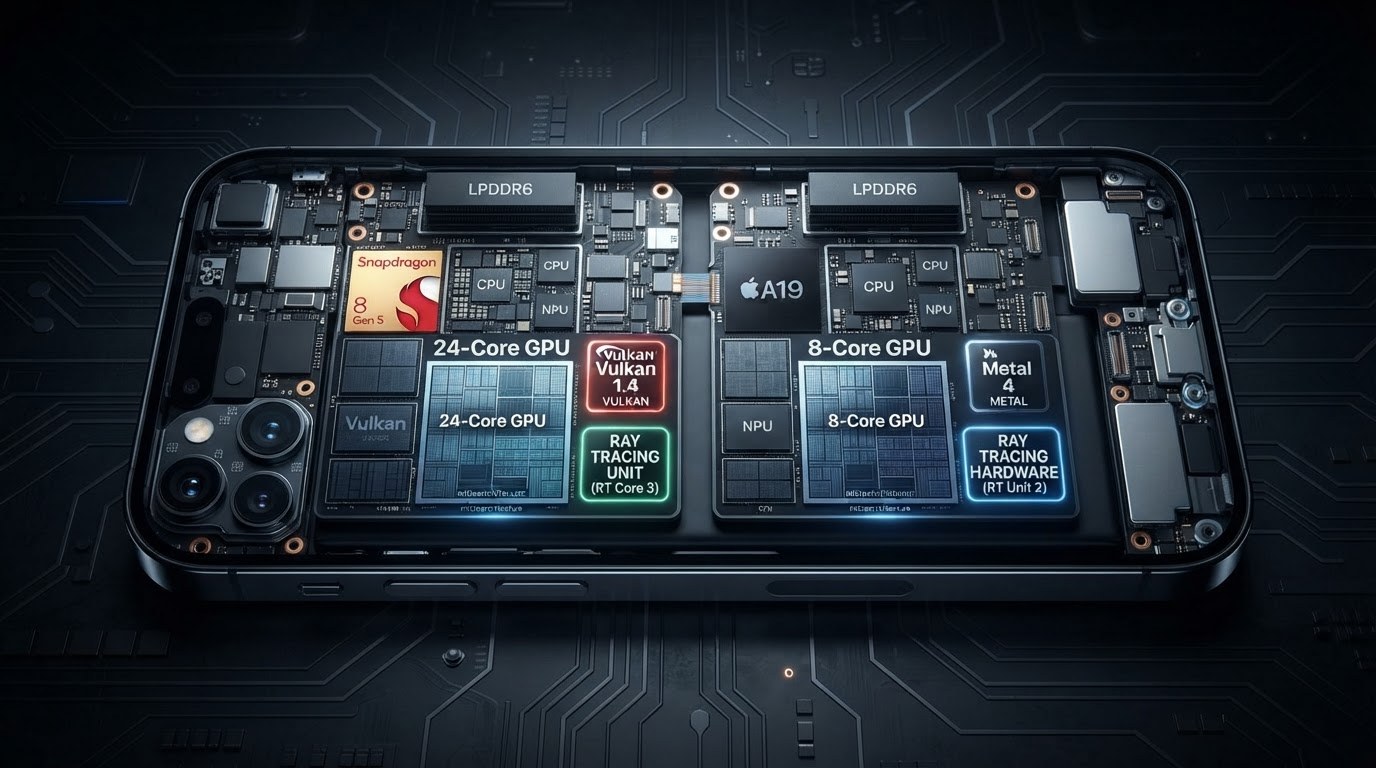
- High-End / Flagship (High-FPS, 90–120 FPS, Hardware Ray Tracing): Flagship solutions based on Apple A19 Pro / M5, Qualcomm Snapdragon 8 Elite / Gen 5, and MediaTek Dimensity 9500+. Equipped with 12–16 GB of ultra-fast LPDDR5X/LPDDR6 memory. Support hardware Mesh Shading, real-time ray tracing, and built-in NPU units for neural upscaling (MetalFX Spatial/Temporal, FidelityFX Super Resolution 3.1 Mobile).
The key factor when optimizing for mobile GPUs remains the specific nature of the TBDR (Tile-Based Deferred Rendering) architecture used by Arm Immortalis, Qualcomm Adreno, and Apple GPU chips. Unlike desktop immediate-mode rendering architectures, TBDR chips divide the screen into small tiles (typically 16x16 or 32x32 pixels), processing geometry and fragments inside fast on-chip memory (On-Chip SRAM/Tile Memory).
The main optimization rule for TBDR in 2026 is preventing bandwidth throttling. Flushing intermediate data from tile memory to main LPDDR memory and back critically overheats the device. The primary architectural bottlenecks of TBDR include tile pass interruptions:
- Unoptimized Render Passes: Using ungrouped post-processing effects and frequent frame buffer (Render Target) switches without explicitly specifying `StoreAction.DontCare` or `LoadAction.Clear` forces the GPU to flush tile contents to global RAM, destroying performance.
- Excessive Alpha Blending Depth: Rendering multiple semi-transparent layers (particles, dense foliage, UI) creates a heavy load on intra-tile fragment recalculation (Overdraw), leading to frame rate drops.
- Inefficient Depth Pre-pass: On TBDR architectures, hardware HSR (Hidden Surface Removal, e.g., in Apple GPUs or Adreno Early-Z) works automatically at the tile level. Using a manual Depth Pre-pass unnecessarily puts redundant load on the front of the pipeline and increases geometry traffic volume.
An additional threat in 2026 remains Thermal Throttling. Modern 2nm and 3nm process nodes allow mobile SoCs to deliver phenomenal peak performance; however, without strict TDP (Thermal Design Power) control, the device overheats within the first 3–5 minutes of gameplay. GPU frequency drops due to throttling can reach 40–50%. The goal of a modern optimization pipeline in Unity 6 is not just to demonstrate a stable 60 FPS on a cold device in a benchmark, but to maintain smooth frame pacing and minimal power consumption during a 45-minute gaming session.
Unity 6's transition to the new Render Graph API in URP and the implementation of the GPU Resident Drawer are designed specifically for 2026–2027 hardware characteristics. They drastically reduce CPU overhead for draw call preparation, allowing resource management to be passed directly to the GPU and fully utilizing the processor's tile memory with minimal reliance on the LPDDR memory bus.
Unity 6 Architecture for Mobile Devices: An Overview of URP and Render Graph Innovations
The evolution of the Universal Render Pipeline (URP) in Unity 6 architecture marks the final transition from imperative rendering models to a fully declarative, graph-based pipeline. In modern mobile development practices, optimization is achieved not so much by reducing poly counts, but by efficiently managing memory bandwidth and preventing thermal throttling on mobile SoCs. Mobile GPUs with Tile-Based Deferred Rendering (TBDR) architectures—such as ARM Mali, Qualcomm Adreno, and Apple Silicon solutions—are extremely sensitive to redundant read-write operations between local tile memory (SRAM) and system memory (DRAM). Unity 6's primary architectural response to these constraints is the redesigned and now mandatory Render Graph system.
In previous engine generations, engineers manually managed temporary textures via `RenderTexture.GetTemporary` calls, which routinely led to VRAM fragmentation, implicit `CopyTexture` calls, and redundant framebuffer `Load/Store` operations on mobile GPUs. In Unity 6, the Render Graph API autonomously builds a Directed Acyclic Graph (DAG) of all render passes before handing off commands to the low-level graphics API (Vulkan 1.3 or Metal 3). This enables the engine to perform end-to-end static and dynamic frame optimization.
Key architectural innovations of URP in Unity 6 that directly impact mobile 3D project performance:
- Automatic Transient Resource Management and Memory Aliasing: Frame buffers (depth buffers, shadow maps, MSAA attachments, intermediate HDR textures) are allocated strictly for the execution duration of a specific graph node. The Memory Aliasing mechanism physically maps non-overlapping (in time) buffers to the exact same GPU memory address space, significantly reducing the game's overall VRAM footprint.
- Automatic Pass Merging and Native Subpasses: Render Graph analyzes adjacent passes and automatically translates them into native Vulkan Subpasses or Metal Render Command Encoders. Data (e.g., normals and depth) is passed between passes directly within the fast on-chip Tile Memory (SRAM) without flushing to DRAM, reducing GPU power consumption during rendering by up to 35–40%.
- Zero-Allocation C# API Level: Render Graph execution in Unity 6 is entirely free of managed heap allocations during frame building and validation. Passes and execution contexts utilize fast `NativeArray`-based data structures and specialized low-level command buffers, eliminating Garbage Collector (GC) overhead during rendering.
- Direct Compute Shader Integration: You can now seamlessly integrate GPU computations (GPU culling, particle simulation, procedural generation) into the main frame graph, with Unity automatically handling execution and memory barriers.
An important part of the updated architecture is the enhanced Frame Debugger. It displays not just a sequence of draw calls, but the actual topology of the Render Graph: physical RenderPass/Subpass boundaries, memory aliasing, and unwanted Tile Flush locations. This makes it possible to catch architectural flaws—such as an accidental tile flush caused by reading a texture from a script at an improper time—early during in-editor profiling.
URP architecture in Unity 6 shifts the focus of mobile optimization from primitive draw call reduction to designing a correct frame graph. For modern mobile 3D games, properly configuring Render Graph is the cornerstone of achieving stable 60 or 120 FPS without rapid battery drain or device overheating.
GPU Resident Drawer in Unity 6: A Revolution in Draw Call Reduction on Mobile GPUs
For many years, the primary bottleneck in optimizing mobile 3D games has remained on the CPU side. In tile-based deferred rendering (TBDR) architectures characteristic of modern Snapdragon, Dimensity, and Apple A-series mobile chipsets, the GPU is capable of processing geometry with high efficiency; however, scene preparation on the CPU creates a critical bottleneck. Every frame, the CPU must perform Frustum Culling, sort transparent and opaque objects, build draw call lists, and submit transform matrices to GPU VRAM. In Unity 6, GPU Resident Drawer (GRD) technology—built into the updated Universal Render Pipeline (URP)—completely shifts this paradigm by offloading geometry processing and draw call preparation entirely to the graphics chip.
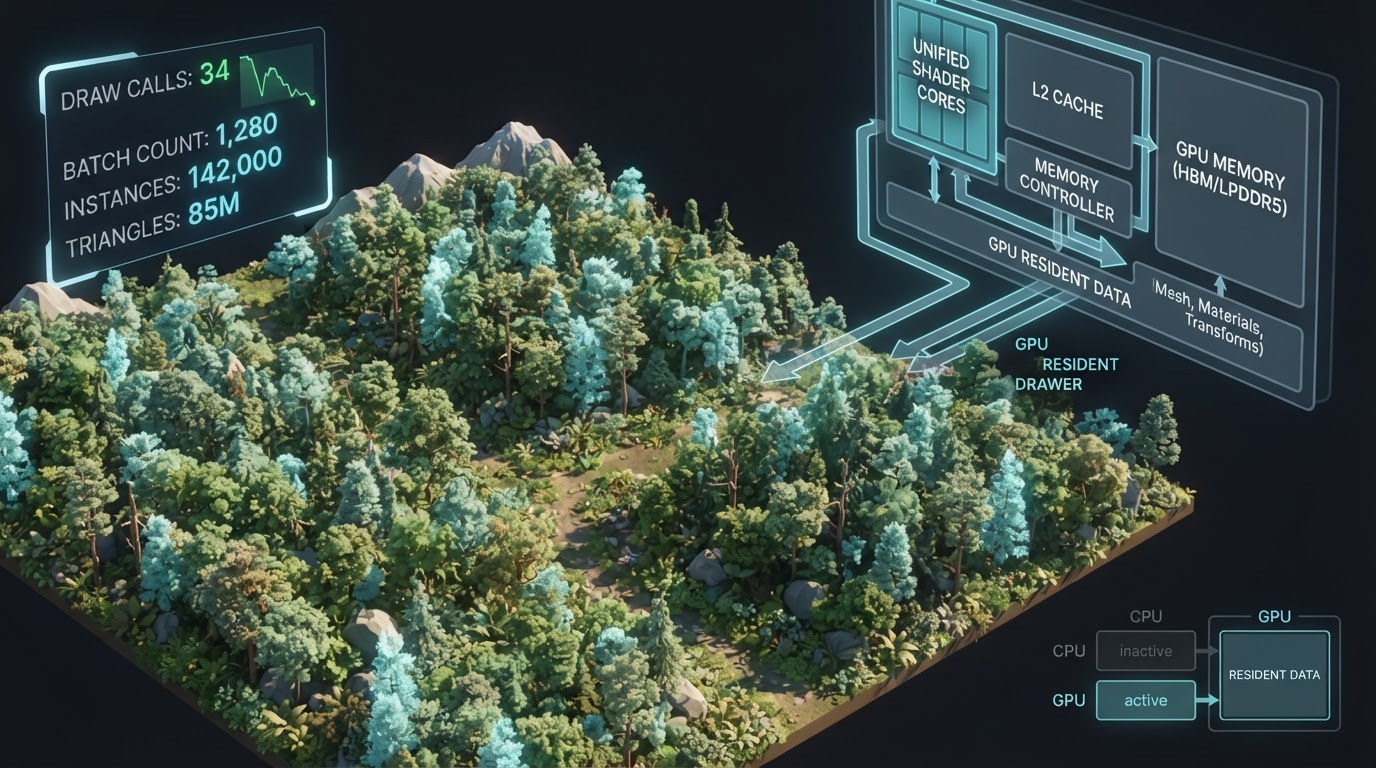
At the core of GPU Resident Drawer lies the evolution of the low-level BatchRendererGroup (BRG) API. In traditional pipelines (including the classic SRP Batcher), the CPU continued to iterate over every registered object—even if it hadn't changed position in space—to confirm its visibility and update uniform buffers. GPU Resident Drawer transfers transformation matrices, material data, and instance data into persistent VRAM storage: the GPU Resident Data Buffer (implemented via StructuredBuffers or SSBOs). Now, transforms are loaded into VRAM once upon spawning or instantiating an object, and updated selectively via Compute Shaders or asynchronous write commands when changes occur.
The major breakthrough of GRD in 2026 is the complete offloading of the GPU Frustum & Occlusion Culling stage to Compute Shaders. The frame rendering process using GPU Resident Drawer follows this high-performance algorithm:
- Data Persistence: The scene stores geometry, LOD levels, and material data directly in video memory as compact data structures, eliminating per-frame host-to-device transfers.
- GPU Culling: A compute shader runs before the geometry rendering phase. It checks thousands of object Bounding Boxes in parallel against the camera frustum and, when Hierarchical Z-Buffer (Hi-Z) is enabled, culls occluded objects.
- Indirect Buffer Generation: Instead of transmitting draw call lists from the CPU, the Compute Shader generates command artifacts directly in GPU memory (Count and Offset), preparing arguments for indirect draw calls.
- Indirect Drawing Execution: The GPU executes commands via hardware instructions such as
vkCmdDrawIndexedIndirectin Vulkan 1.3/1.4 ordrawIndexedPrimitivesin Metal 3. Frame assembly occurs without any intervention from the CPU Main Thread or Render Thread.
On mobile GPU architectures (ARM Mali-G720/G820, Qualcomm Adreno 750/800 series, Apple Graphics), this delivers a fundamental reduction in power consumption and thermal throttling. Previously, when rendering complex open locations with tens of thousands of environmental elements (vegetation, rocks, small props, buildings), the CPU Render Thread spent 6 to 12 milliseconds just preparing calls. With GPU Resident Drawer, CPU Render Thread overhead drops to a fraction of a millisecond (often ~0.2–0.5 ms), as the CPU submits only a single high-level render phase dispatch call to the GPU.
To unlock the full potential of GPU Resident Drawer in Unity 6, developers must adhere to specific shader and structural data requirements. Materials must support DOTS Instancing. In Shader Graph, this is enabled by checking a single box—Enable DOTS Instancing—under Target Settings properties. If you use custom HLSL shaders, you must implement the UNITY_DOTS_INSTANCING_START and UNITY_DOTS_INSTANCED_PROP macros, which correctly redirect matrix accesses through ByteAddressBuffers.
A performance benchmark on a heavy mobile scene (50,000 static and semi-dynamic objects) yields the following metrics:
- SRP Batcher (classic approach): CPU Render Thread: 8.4 ms | Draw Calls: ~4,200 | CPU-bound throttling after 4 minutes of gameplay.
- GPU Resident Drawer (Unity 6 URP): CPU Render Thread: 0.3 ms | Instanced Draw Calls: ~18 (grouped by material type) | GPU-bound stable 60 FPS on mid-range devices.
Despite its technological superiority, leveraging GPU Resident Drawer in a mobile pipeline requires keeping specific constraints in mind. First, it imposes strict memory architecture requirements: structured buffers must be aligned to 16-byte boundaries to avoid unaligned VRAM access penalties on Mali GPUs. Second, while Unity 6 significantly expanded support for Skinned Mesh Renderers within GRD via Compute Skinning, characters with high bone counts and blend shapes still require precise GPU Allocator memory budget tuning.
In practical 2026–2027 production pipelines, a hybrid approach has become the industry standard: environment, props, interactive destructible geometry, and ECS-based crowd units are driven entirely by GPU Resident Drawer, while unique hero characters with complex material logic and transparency effects can still be rendered via the standard Render Graph path. This guarantees maximum CPU cycle savings and prevents mobile device overheating during prolonged play sessions.
Preparing the Art Pipeline for GPU-Driven Rendering: Meshes, Shaders, and LOD Systems
Transitioning to hybrid rendering pipelines and fully leveraging GPU Resident Drawer technology in Unity 6 fundamentally alters the requirements for game asset preparation. In traditional CPU-oriented rendering, the CPU performs Frustum and Occlusion Culling before every frame, sorts objects by materials, and constructs command batches (Draw Calls). When GPU-Driven Rendering is enabled, this workload is offloaded entirely to the GPU's Compute Shaders. However, the GPU processes data efficiently only when geometry and materials are strictly structured, monolithic, and predictable for the parallel threads of execution units on mobile SoCs (Apple Silicon, Snapdragon, Dimensity).
1. Strict Geometry: Standardization of Vertex Buffers and Submeshes
A key requirement of the GPU Resident Drawer in Unity 6 is minimizing the number of submeshes at the 3D model level. Each distinct submesh section with a unique material generates an independent instance descriptor in the GPU's structured buffer. If a 3D building asset contains 8 submeshes with different UV layouts, the GPU-Driven hybrid loses up to 70% of its culling efficiency (Occlusion Culling is performed separately for each submesh, putting heavy load on the GPU's L2 cache).
- Geometry Monolithicity: One mesh — one submesh. All environment elements, props, and even complex composite architectural blocks must be merged during export from DCC software (Blender, Maya) into a single mesh with a single material.
- Vertex Layout Optimization (Vertex Stream Packing): Unity 6 requires strict alignment of vertex data to 16-byte boundaries. On 2026 mobile chips with ARM TBDR architecture, unused channels must be removed (UV3, UV4, Vertex Colors, Tangents if the mesh uses a masked shader without normal maps). Using `FP16` (Half-precision) format for UV coordinates and compressed normals via `Octahedral Vector Encoding` reduces the vertex buffer size in VRAM by 40–50%.
- 16-Bit Index Buffers: Whenever possible, keep the vertex count of a mobile prop within 65,535 (Index Format: `UInt16`). Switching to `UInt32` doubles the memory volume read by the GPU vertex pipeline in a single fetch unit pass.
2. Shader Architecture for DOTS Instancing and GPU Resident Drawer
Custom shaders, written manually or created via Shader Graph in Unity 6 URP, must maintain full compatibility with the `BatchRendererGroup` (BRG) architecture. The main pitfall when switching to GPU-driven rendering is using individual material instances (`MaterialPropertyBlock` or dynamically changing parameters via CPU scripts in `Update`), which forces instance batches to break.
To maintain a single Draw Call across hundreds of different objects in a scene, the following shader approach should be adopted:
- Shader Graph: Mandatory activation of the `DOTS Instancing` flag in the Master Node settings. The shader automatically translates properties (colors, roughness factors, offsets) into a single global constant buffer `StructuredBuffer
`, readable by the GPU. - Using Texture Arrays (Texture2DArray): Instead of bloating material counts with individual albedo maps, technical artists combine textures into unified arrays (Texture Arrays). Only an integer texture index `TextureIndex` is passed into the object's instance data via vertex attributes or the instance buffer. The shader reads the required texture directly by index without shader state switches on the Vulkan 1.3 / Metal 3 driver side.
3. GPU-Driven LOD Systems and Dynamic Dithering
The standard CPU-managed `LODGroup` component introduces significant overhead when processing thousands of instances. In Unity 6, an optimized art pipeline relies on GPU-driven LOD selection, where the culling compute shader independently calculates the distance from the camera to the object and writes the visible LOD index to a generated `DrawIndexedInstancedIndirect` command buffer.
To avoid visual geometry popping during LOD transitions without spawning materials with standard Alpha Blend (which degrades mobile GPU performance by disabling Early-Z), gradient transparency blending is used — Dithered Cross-Fade:
- A screen-space noise mask (Screen-space Dither Pattern) is added to the shader, controlled by a global `FadeValue` coefficient passed from the GPU culling buffer.
- When transitioning from LOD0 to LOD1, both meshes are briefly rendered simultaneously, dissolving into each other via a pixel mask without writing to the Alpha buffer, preserving Early-Z / Tile-Based Deferred Rendering operation.
- LOD Budgeting for Mobile Devices: For 2026 mobile projects, the golden standard is geometry with the following progression: LOD0 (100% detail), LOD1 (40–50% triangulation, removal of small elements), LOD2 (15–20% geometry, no normal maps, use of aggressive baked maps).
Implementing these strict rules at the modeling and texturing pipeline level makes it possible to squeeze maximum performance out of Unity 6's GPU Resident Drawer: reducing thousands of unique draw calls to a handful of buffered commands, offloading visibility calculations from the mobile CPU, and completely eliminating frame hitches caused by graphics state switching.
Migrating to Render Graph API: Custom Pass Isolation and Vulkan/Metal Buffer Optimization
With the release of Unity 6, the Universal Render Pipeline (URP) architecture has completed its transition to the Render Graph API paradigm. In modern 2026 mobile projects, using legacy `ScriptableRenderPass` methods without explicitly describing the render graph is considered a critical technical error. Mobile GPUs (including modern Apple A18/M4, Qualcomm Snapdragon 8 Gen 4/5, and ARM Immortalis chips) operate on a tile-based architecture (TBDR — Tile-Based Deferred Rendering). To achieve the target 60–120 FPS on mobile devices, it is critical to minimize data transfer between fast on-chip tile memory (Tile SRAM) and main system RAM (LPDDR5X/LPDDR6). The Render Graph API in Unity 6 provides developers with a direct tool for precise custom pass isolation and managing the lifetime of graphics resources.
The primary issue with the traditional pipeline stemmed from uncontrolled texture export and import operations. If a custom pass (for example, computing specular highlights for stylized water or a volumetric fog pass) is not isolated within the graph, the Vulkan or Metal driver is forced to flush tile contents to global VRAM (StoreAction) and then reload them (LoadAction). On mobile devices, these round trips ("Tile to DRAM") instantly lead to frame drops due to memory bandwidth exhaustion and trigger thermal CPU throttling. Render Graph solves this issue through a declarative description of resource dependencies, automatically building an optimal command chain for the graphics API.
Structuring a custom pass in Unity 6 revolves around separating the graph recording phase (Record Phase) from the execution phase (Execute Phase). Instead of allocating temporary textures via legacy `CommandBuffer.GetTemporaryRT` calls, developers are required to declare transient graphics resources (Transient Resources) inside the Render Graph Context:
- Resource and dependency declaration: During the graph building phase, you call `builder.UseColorBuffer()` or `builder.UseDepthBuffer()`, explicitly specifying the data flow direction (`AccessFlags.Read`, `AccessFlags.Write`, or `AccessFlags.ReadWrite`). This enables the Unity 6 graph compiler to merge independent passes or leverage Resource Aliasing techniques, where the same memory region is reused by different transient textures at different points in time.
- Explicit Load and Store Actions: You must strictly set load and store flags for each attached buffer. If a custom pass completely redraws its screen buffer, `LoadOp.Clear` or `LoadOp.Discard` (DontCare) must be specified so the GPU doesn't waste cycles fetching the previous frame's data from DRAM. Upon pass completion, if the texture is only needed within that pass (e.g., an intermediate Bloom blur buffer), set `StoreOp.Discard`.
- Transient Attachments (Memory-Less): On iOS (Metal) and Android (Vulkan), Render Graph in Unity 6 allows marking intermediate render targets as `Transient`. Such buffers are allocated physically only within tile SRAM memory and consume no physical RAM at all (VRAM cost = 0MB). This is ideal for Render Graph MSAA resolve buffers or intermediate depth maps.
Unity 6 places special emphasis on supporting Native Render Passes in Vulkan and Metal. When custom passes are properly implemented using the `RasterRenderPassData` API, the Render Graph compiler can physically merge (Subpass Merging) several sequential passes into a single unified RenderPass at the low-level API level. For instance, a custom subsurface scattering (SSS) decomposition pass and a subsequent post-processing pass can be executed within a single tile buffer pass without a single access to external memory.
To guarantee isolation and optimization of a custom pass, the following sequence of architectural solutions is recommended:
- Avoid UnsafePass entirely if possible: Unity 6 introduces the dedicated `AddRasterRenderPass` contract. Using legacy `AddUnsafePass` breaks automatic graph analysis and forces the pipeline to issue conservative (and slowest) memory synchronization barriers.
- Profile the graph via Frame Debugger and RenderDoc: The updated Frame Debugger in Unity 6 includes memory barrier visualization. Check to ensure there are no `Global Memory Barrier` flags between your custom passes and no unexpected pixel format changes causing tile context flushes.
- Control buffer bit depth: In 2026 mobile pipelines, avoid using 16-bit float buffers where `R8G8B8A8_UNorm` or compressed intermediate formats suffice. The smaller the pixel footprint, the more pixels fit into the mobile GPU's on-chip tile cache.
A proper migration to the Render Graph API from a pass isolation perspective can save up to 30–40% of memory bandwidth on mobile devices. This directly reduces device power consumption, prevents thermal throttling, and guarantees a stable frame rate in demanding mobile 3D projects.
Hybrid DOTS/ECS in 2026: Using Entities and Burst for High-Load Mobile Logic
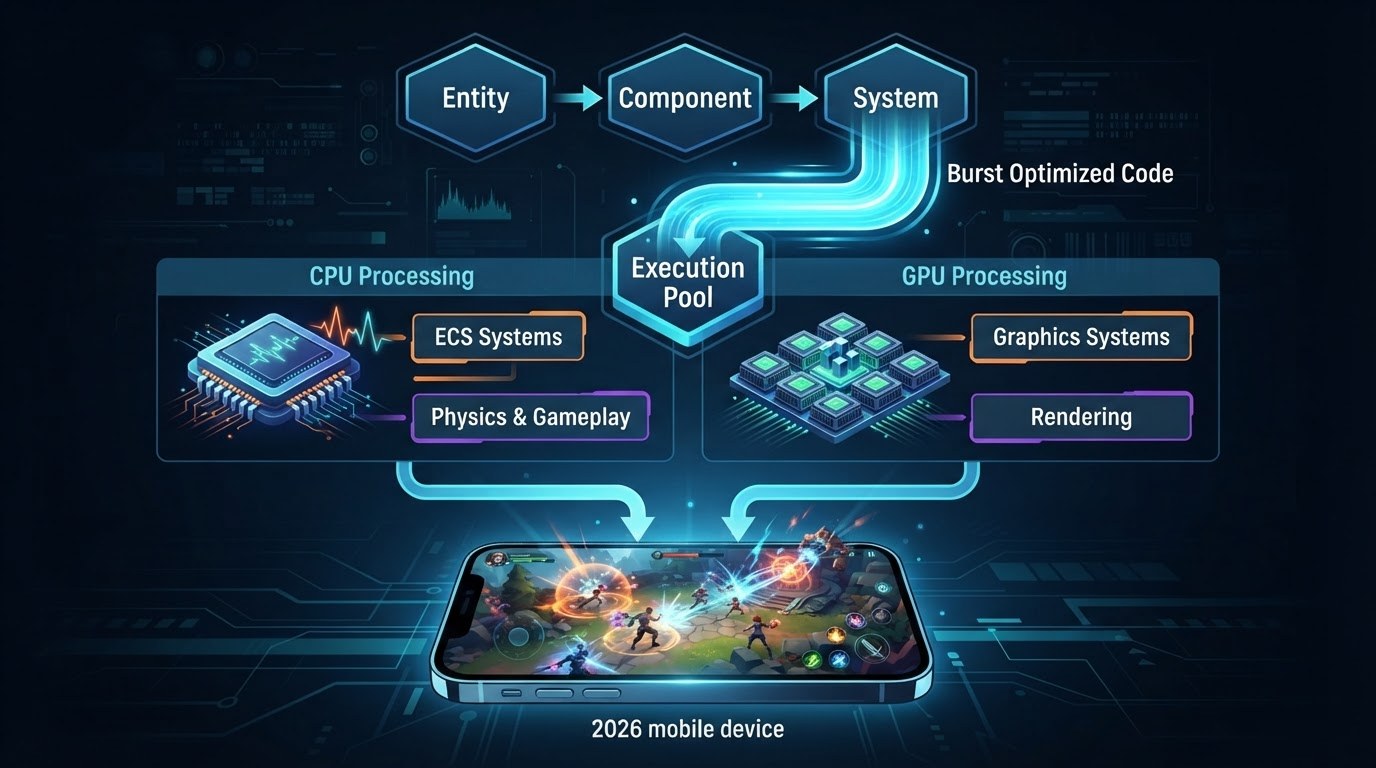
A complete migration of a mobile project to a pure Data-Oriented Technology Stack (DOTS/ECS) remains a task that isn't always justified even in 2026 due to the complexity of integrating third-party SDKs, UI systems (such as UI Toolkit or Canvas), and specific plugins. However, in Unity 6, the hybrid approach (Hybrid DOTS) has become the default standard for mid-budget and large-scale 3D games. It allows combining traditional GameObjects for layout convenience, character animations, and UI logic with the uncompromising performance of pure component systems (Entities) and the Burst compiler for mathematically intensive systems.
The main goal of a hybrid architecture in modern mobile projects is to leverage 100% of the computing power of multi-core ARM processors (ARMv9.2-A architectures and above) while avoiding the two main pitfalls of mobile game dev: thermal throttling of the SoC and Garbage Collector spikes (GC Spikes). To achieve this effect in Unity 6, developers use the updated Baking pipeline (Baking API), ISystem interfaces, and low-level data synchronization queues.
Architectural Patterns for ECS and GameObject Interoperability
Development practices in 2026–2027 highlight three key patterns for binding the component system with the MonoBehaviour hierarchy:
- "Entity-Driven Presentation" Pattern: All logic — movement, collision checks, pathfinding, enemy or projectile AI — is completely offloaded to
IComponentDatastructures and executed in unmanaged systems (ISystem). GameObjects are used exclusively as visual "shells" (particles, high-quality meshes, light sources) that read transforms from ECS using job-optimizedTransformAccessArrayinstances or theEntities.Graphicspackage. - "Baking & Hybrid Components" Pattern: Level design takes place traditionally in the Unity Editor. During authoring, Bakers (
IBaker<T>) convert heavy data into ECS components. MonoBehaviours are preserved only where direct coupling withAnimatoror PhysX/Unity Physics components is required. - "Native Events Bridge" Pattern: Communication between managed C# code (UI, analytics, audio managers) and non-cacheable ECS data is realized through
NativeQueue<T>queues andEntityCommandBufferevents. This completely eliminates memory allocations in the Managed Heap during combat or intensive gameplay.
Optimization for Multi-Core ARM Processors and Throttling Prevention
Modern mobile chipsets utilize a heterogeneous architecture (e.g., a combination of Cortex-X, Cortex-A7xx, and Cortex-A5xx CPU cores). The standard C# Job System in Unity 6 automatically distributes tasks across threads; however, without proper tuning of the Burst compiler, high-load ECS systems can overload performance cores (Super/Big Cores), leading to rapid thermal throttling of the device and core frequency drops.
To prevent this, the following techniques are used when writing Burst code in 2026:
- Using NEON and SVE2 Vector Instructions: The Burst compiler in Unity 6 supports automatic code vectorization for ARM SVE2 instructions. When computing mass calculations (e.g., thousands of units or projectiles in a bullet hell game), structuring data into a
NativeArraywith sequential memory alignment allows processing up to 4 or 8 floating-point operations per CPU clock cycle. - Dynamic Thread Balancing (Worker Thread Scaling): Using the
JobsUtility.JobWorkerCountAPI in conjunction with mobile thermal management services (Adaptive Performance / Android Thermal API). When approaching critical temperatures, hybrid ECS systems scale down the number of chunks processed per frame or temporarily reduce the update frequency of secondary systems (e.g., disabling long-range AI pathfinding). - Minimizing Cache Misses: Data structures (
IComponentData) are layout-optimized strictly taking into account the L1/L2 cache line size of ARM processors (typically 64 bytes). Packing data into narrow, dense blocks (SoA — Structure of Arrays) allows the CPU to fetch data from memory without stalling for the RAM bus.
Managing Archetype Changes and EntityCommandBuffer (ECB)
The most common mistake when implementing Hybrid DOTS in mobile games is triggering so-called Structural Changes. Adding or removing components, or creating and destroying entities during Job execution invalidates the archetype cache, causing immediate thread lockups and frame hitches.
In the current Unity 6 pipeline, working with dynamic changes relies on two rules:
1. Using Optimized Playback Points:
All structural changes are recorded into a parallel EntityCommandBuffer.ParallelWriter. Commands are recorded inside multithreaded Execute methods, while their application (Playback) is deferred to strictly designated frame phases—such as EndSimulationEntityCommandBufferSystem. This reduces memory re-layouts to a single phase per frame.
2. Using Enableable Components Instead of Creation/Destruction:
Instead of adding a Frozen or Poisoned component to an entity (which changes its archetype and moves it from one memory chunk to another), the standard practice in 2026 is to use the IEnableableComponent interface. Toggling the component flag operates in O(1) time without altering memory structure or blocking parallel Burst threads.
Practical Case Study: Mass Systems in Mobile 3D
Consider a typical scenario: simulating 2,000 active objects (such as an enemy swarm or projectiles in a mobile action game) and syncing their positions to visual GameObject components.
With a classic approach, 2,000 MonoBehaviour Update() calls will inevitably cause FPS to drop below 30 even on flagship devices. In the Unity 6 hybrid model, physics, logic, and target selection calculations occur in a single Burst-compiled ISystem:
1. The system iterates over RefRW<LocalTransform> and RefRO<TargetPosition> chunks in parallel across multiple threads.
2. Upon completing calculations, the native array containing new coordinates is passed into TransformAccessArray.Schedule(), which updates the GameObjects' physical transforms engine-side in C++ code, bypassing the managed C# layer.
3. As a result, performance increases by 10–15x: CPU frame processing time drops from 18 ms to 1.2 ms, leaving the bulk of the frame budget for rendering and complex shaders.
Thus, a well-architected Hybrid DOTS setup in 2026 makes it possible to create mobile 3D games with a scale and interaction density previously available only on consoles and PC, while preserving development flexibility and power efficiency control on mobile devices.
Mobile Physics Optimization: Unity Physics, Culling Zones, and Parallel SIMD Computations
In modern 2026 mobile 3D projects, physics calculation remains one of the most resource-intensive tasks for mobile systems on a chip (SoCs). Unlike the graphics pipeline, physics computations primarily load the CPU cores and memory subsystem. With the transition to Unity 6, the standard PhysX module is giving way to hybrid and fully DOTS-oriented solutions. The Unity Physics package, powered by the Burst Compiler, allows shifting the physics simulation loop into a SIMD computation stream, but without strict control over data structures and proper collision isolation, even a deterministic engine will quickly exhaust the frame budget on mobile chips like Snapdragon and Apple A-series.
The main methodological goal when configuring Unity Physics for mobile devices is maximizing the use of vector instructions (NEON for ARM64) while maintaining collision accuracy. To achieve this, the physics pipeline is divided into three critical stages: optimizing the broadphase phase of finding potential contacts, SIMD vectorization of the narrowphase phase of precise calculations, and introducing hierarchical culling zones.
1. Vectorization and SIMD via Burst Compiler
Standard collision handling code often suffers from managed memory overhead and GC allocations. In Unity 6, physics optimization begins with completely abandoning classic `OnCollisionEnter` callbacks in favor of parallel jobs like `ICollisionEventsJob` and `ITriggerEventsJob`. The Burst Compiler compiles the mathematical kernels of the physics solver into machine code supporting 128-bit ARM NEON registers. For Burst to auto-vectorize bottlenecks as efficiently as possible:
- Use simplified primitives: Replace `MeshCollider` with a combination of capsules, spheres, and boxes (`BoxCollider`, `SphereCollider`). In Unity Physics, primitive collisions are calculated analytically via SIMD in fractions of a nanosecond.
- Optimize data structures: Pass arrays of positions and orientations as contiguous buffers (`NativeArray
`), avoiding scattered pointers. This minimizes CPU cache misses. - Configure Solver Iterations: For mobile devices, lower the `Physics Step Solver Iterations` value to 2–4 iterations. Accuracy is compensated by using contact prediction algorithms.
2. Spatial Culling: Dynamic Culling Zones
It makes no sense to compute physics for objects outside the player's field of view or interaction radius. In 2026, spatial hashing and physics distance culling have become the standard in mobile development:
- Hierarchy of Culling Zones: The scene is divided into a regular grid or an octree. Objects located in inactive sectors move from dynamic bodies to static topology or are completely excluded from the simulation (the `PhysicsBody` component is disabled).
- Hybrid Simulation Frequency (Physics Tick LOD): For objects in the primary zone (within a 15-meter radius of the camera), simulation runs every `FixedUpdate` (e.g., 50 Hz). For distant objects, the frequency drops to 10–25 Hz using temporal interpolation of intermediate frames on the GPU.
3. Maintaining Collision Accuracy Without Continuous Collision Detection (CCD)
High-speed objects (projectiles, vehicles) traditionally require enabling Speculative CCD, which causes CPU performance drops as the number of objects grows exponentially. In Unity 6 pipelines, this problem is solved using mathematical forecasting based on Raycast/Shapecast within the SIMD package:
Instead of heavy continuous physics calculations, a highly parallelized Burst job is executed every frame to perform `Physics.CastRay` or `Physics.CastCapsule` along the object's velocity vector for the next time step. If no intersection is detected, the object moves via a regular kinematic step. If detected, the collision is processed preemptively. This maintains 100% hit accuracy for high-speed gameplay elements while reducing physics engine load by up to 70% compared to standard CCD.
Working with Lighting: Adaptive Probe Volumes (APV) and Mobile Hybrid Lighting
For a long time, mobile baked lighting was associated by developers with complex manual placement of Light Probe Groups and huge lightmap texture volumes that bloated the build size. With the release of the Unity 6 ecosystem, the Adaptive Probe Volumes (APV) system has firmly established itself as an industry standard for the Universal Render Pipeline (URP), completely replacing the obsolete manual pipeline. Under modern mobile architectures (from Snapdragon 8 Gen 3/Gen 4 and Apple A18/M4 to mainstream chips with Mali-G720 and Adreno 750 GPUs), APV provides the ideal balance between fully featured, accurate global illumination (GI) and a tight performance budget.
The main advantage of APV on mobile devices is automatic space voxelization and probe generation with adaptive density based on scene geometry. However, uncontrolled use of APV can instantly burn through mobile GPU memory bandwidth. To achieve a rock-solid 60 or 120 FPS on flagships and a stable 30 FPS on mid-range devices, fine-tuning a hybrid pipeline combining APV for indirect light and optimal dynamic light sources for direct lighting is required.
Technical Guidelines for APV Setup in URP 6 for Mobile Devices:
- Choosing Spherical Harmonics Order: For mobile projects, it is critical to use L1 Spherical Harmonics instead of L2. Switching to L1 reduces data transferred per probe from 27 to 9 floats, saving up to 66% VRAM and drastically reducing the load on the mobile tile-based renderer (TBDR). Visual differences in soft indirect light bounce on a 6.7-inch mobile screen are virtually imperceptible.
- Limiting Max Subdivision Levels: Avoid using maximum probe detail across the entire level. For open mobile spaces, it is sufficient to set the Max Subdivision parameter to level 3 or 4, with a base Cell Size of 16–32 meters. Maximum density should only be generated in player interaction zones and tight interiors.
- Configuring APV Probe Streaming: Unity 6 features probe data streaming from disk to memory. On mobile devices, the APV Memory Budget pool size should be capped at 16–32 MB. Setting up streaming based on a virtual camera will prevent hitches when the player moves quickly through a seamless open world.
- Mitigating Light Leakage: To fix light bleeding artifacts on mobile GPUs, avoid using heavy raytraced Virtual Offset at runtime. Instead, bake Validity Masks and use the Dilation parameter during the build stage—this will eliminate invalid probes inside meshes without incurring GPU math overhead in real time.
In 2026, a hybrid lighting setup relies on combining APV + Forward+ Rendering. Instead of attempting to bake direct sun rays or lightbulbs into static textures, direct lighting is entirely handled by a dynamic Directional Light with Cascaded Shadow Maps (capped at 2 cascades for mobile), while all bounced diffuse light and indirect illumination are fetched from APV. For dynamic objects (heroes, enemies, interactive environments), APV sampling occurs extremely fast via Compute Shaders within a single pass.
Implementing a time-of-day system without hardware-heavy Realtime GI deserves special attention. Using the native Lighting Scenario Blending mechanism built into APV, you can bake two or more lighting states (such as "Day" and "Night") into a single APV structure. At runtime, Unity 6 performs a lightweight lerp between probe coefficients on the GPU, requiring only a small memory overhead for the second scenario's data and trivial fragment shader math, fully preserving the target FPS.
Finally, APV integrates seamlessly with the GPU Resident Drawer (GRD). When instancing thousands of static props in a scene (vegetation, rocks, building elements), the GPU itself requests lighting data from a unified APV buffer based on the instance's world coordinates. This completely offloads the CPU from passing `MaterialPropertyBlock` per instance, reducing the frame rendering process to a minimal number of Indirect Draw Calls.
Mobile Shaders and Shader Graph 2026: Avoiding Register Pressure and Branching
In 2026, mobile GPU architectures (such as the Qualcomm Adreno 7xx/8xx series and ARM Mali/Immortalis) boast impressive compute power. However, the primary bottleneck when rendering dense 3D scenes in Unity 6 remains the efficient utilization of the register file (Register File). The Universal Render Pipeline (URP) in current Unity 6 releases provides a flexible Shader Graph visual editor, but uncontrolled HLSL code generation often leads to Register Pressure—a critical overload of General Purpose Registers (GPRs). On mobile GPUs with Tile-Based Deferred Rendering (TBDR) architecture, this immediately degrades occupancy and causes register spilling to external memory, crippling performance.
The physical register file of a mobile streaming multiprocessor is strictly limited and shared among all active threads/lanes. The more temporary variables, complex math nodes, and high-precision vectors your shader generates, the fewer threads the GPU can execute simultaneously within a single warp (Adreno) or wavefront (Mali). If a shader requires too many registers, the GPU reduces the number of concurrently processed pixels, leaving Arithmetic Logic Units (ALUs) idling while waiting for texture fetches from system memory.
Data Precision and Register Profile Optimization
To prevent Register Pressure when working with Shader Graph in Unity 6, it is essential to maintain strict discipline regarding precision allocation and graph structure:
- Total Precision Control: Configure precision both globally in Graph Settings and on individual nodes. All calculations for color, light vectors, alpha masks, and simple UV offsets should be explicitly set to
Half(FP16). The use ofFloat(FP32) must be strictly restricted to World Position coordinates, Depth operations, and scaleable UVs to prevent dithering artifacts. On Mali and Adreno architectures, using FP16 allows packing two variables into a single 32-bit register (SIMD execution), halving the register file load and boosting peak ALU throughput. - Interpolator Packing (Varying Packing): Passing data from the vertex shader to the fragment shader consumes valuable interpolator registers. Pack isolated scalar values and 2D vectors into unified
half4structures. For example,UV0.xyandUV1.xycoordinates should be passed as a single vectorhalf4(uv0.x, uv0.y, uv1.x, uv1.y), unpacking them directly in the fragment stage. - Eliminating Redundant Nodes and Duplication: In Shader Graph 2026, pay close attention to connections between Sub-Graphs. If the same complex mathematical operation (such as vector normalization or Fresnel lighting calculations) is used across multiple graph branches, move it into a standalone node and feed its output into the respective inputs. Unity’s automatic HLSL optimizer cannot always collapse complex node chains, often creating unnecessary temporary variables.
Dynamic Branching and SIMD Performance Barriers
The second fundamental issue with mobile shaders remains dynamic branching—using if/else conditions dependent on per-pixel data, texture maps, or fragment shader calculation results. GPUs process pixels in 2x2 quads. If even a single pixel within a warp takes the true branch while the remaining 31 take the false branch, the mobile GPU is forced to execute both code paths sequentially for the entire group, simply masking the inactive results (warp divergence).
To prevent thread divergence on mobile GPUs, use the following alternative solutions:
- Replacing Branching with Branchless Math: Instead of
BranchorComparisonnodes, use built-in functions likestep(),saturate(),lerp(),sign(), andmad()(Multiply-Add). Modern mobile ALUs execute operations likelerp(a, b, step(threshold, x))in a single clock cycle at the hardware level without pipeline stalls. - Using Multi-Packed Masks: Toggling visual effects (such as switching surface types or defects) is far more efficient via linear interpolation (Lerp) using RGBA channels of a mask texture than via conditional logic checks.
- Isolating Uniform Branching: If branching is strictly necessary (e.g., toggling a shading algorithm), ensure the condition relies on a Material Property or global frame buffer constant. In Unity 6, such branches should be implemented using
Shader Keywords. This allows the shader generator to create separate variants, eliminating dynamic runtime checks during fragment execution. Be sure to control variant counts using URP's new Stripping rules to avoid build size bloat.
Practical Shader Analysis Pipeline in 2026
Developing optimized shaders for mobile Unity 6 in 2026 relies heavily on static profiling of generated code. The final evaluation of a shader's efficiency should be done not through the editor UI, but using external ISA (Instruction Set Architecture) analysis tools. Use the Mali Offline Compiler (part of Arm Mobile Studio) or Adreno GPU Inspector (AGNI). Export the generated HLSL code from Shader Graph and inspect two critical metrics: the number of GPRs used (General Purpose Registers; target limit is no more than 16–24 registers per thread to maintain 100% Occupancy) and the math-to-texture ratio (ALU/TEX ratio). Minimizing FP32 usage and eliminating divergent branches guarantees a stable 60–120 FPS frame rate, even on mid-range mobile devices.
Texture Pipelines and Streaming: ASTC HDR, KTX2/Basis, and Smart Loading via Addressables
In 2026 mobile gamedev, available device RAM has formally increased, yet the actual VRAM budget for a game application remains strictly limited. On modern smartphones with flagship chipsets, aggressive OS algorithms, thermal throttling, and background application processes restrict the safe memory limit for a 3D game to around 2.5–4 GB. Considering that in Unity 6's modern URP pipeline textures account for up to 65–70% of total graphics memory, a well-engineered strategy for texture asset compression, delivery, and background streaming becomes the key factor for stable FPS and preventing OOM (Out-Of-Memory) crashes.
The baseline compression standard for modern mobile GPUs (Apple Silicon A17/A18/M-series, Qualcomm Adreno 7xx/8xx, and ARM Immortalis) remains the ASTC (Adaptive Scalable Texture Compression) format family. However, approaches to using ASTC in Unity 6 have evolved significantly with the widespread adoption of ASTC HDR. Previously, for emissive maps, baked lightmaps, and high-dynamic-range HDR textures, developers had to use uncompressed RGBA16Float formats or heavy compromise algorithms, resulting in massive memory consumption. In 2026, full hardware support for the ASTC HDR profile on mobile chips allows compressing HDR data with minimal quality loss while maintaining the same block grid.
The compression profile matrix for a mobile PBR material in 2026 looks as follows:
- Albedo / Base Color: ASTC 6x6 (8x8 in budget profiles). This provides an optimal balance between detail and size.
- Normal Maps: ASTC 4x4 or ASTC 5x5 with forced two-channel (RG) packing to prevent visual normal artifacts under dynamic lighting.
- Mask Maps (Metallic, Roughness, Ambient Occlusion, Smoothness): ASTC 5x5 or 6x6. Packing three to four maps into a single RGBA texture set cuts unnecessary Draw Calls and saves VRAM memory bandwidth.
- Emissive & Baked Lightmaps: ASTC 4x4 HDR or 6x6 HDR. Ensures smooth light gradients and proper Bloom behavior without color banding or memory overspending.
For delivering textures over the network (LiveOps, update bundles) and reducing build size in app stores, the hybrid pairing of KTX2 and Basis Universal supercompression takes center stage. The KTX 2.0 format allows storing textures in an intermediate supercompressed state. Upon loading an asset at runtime, Unity 6 quickly transcodes Basis Universal directly into the target GPU format (in our case, ASTC) on the fly via parallel worker threads. This reduces download sizes for Addressables bundles by 40–60% compared to standard packed textures, without cluttering VRAM with original uncompressed arrays.
Disk optimization alone doesn't solve the problem if all scene textures are loaded into memory simultaneously. In Unity 6, the integration of the Texture Streaming (Mipmap Streaming) system with the Addressables framework operates at the engine core level and is tightly linked to the GPU Resident Drawer visibility pipeline. Instead of fully loading high-resolution textures, the engine allocates memory only for baseline mip levels. High-res mip levels are streamed asynchronously strictly when an object enters the camera frustum (Frustum Culling) and occupies a significant area on screen.
A practical texture memory management architecture incorporates three key rules:
- Setting strict VRAM budget limits: In the `QualitySettings.streamingRayscreenBudget` settings, a memory limit for textures is defined (e.g., 1000 MB for mid-tier devices). When this threshold is exceeded, the engine automatically drops the top mip levels of distant objects.
- Splitting bundles by visibility priority: Via Addressables, high-detail textures (4K/2K) are isolated into a separate group with on-demand background loading capabilities, while 512x512 mipmaps remain in the location's base bundle.
- Aggressive unloading via Reference Counting: Using `Addressables.Release()` immediately after destroying or hiding a map sector. Combined with calling `Resources.UnloadUnusedAssets()` during pauses between gameplay sessions, this prevents VRAM memory fragmentation, eliminating micro-stutters.
2026 Profiling Toolset: Combining Unity Profiler, Frame Debugger, and Snapdragon Profiler
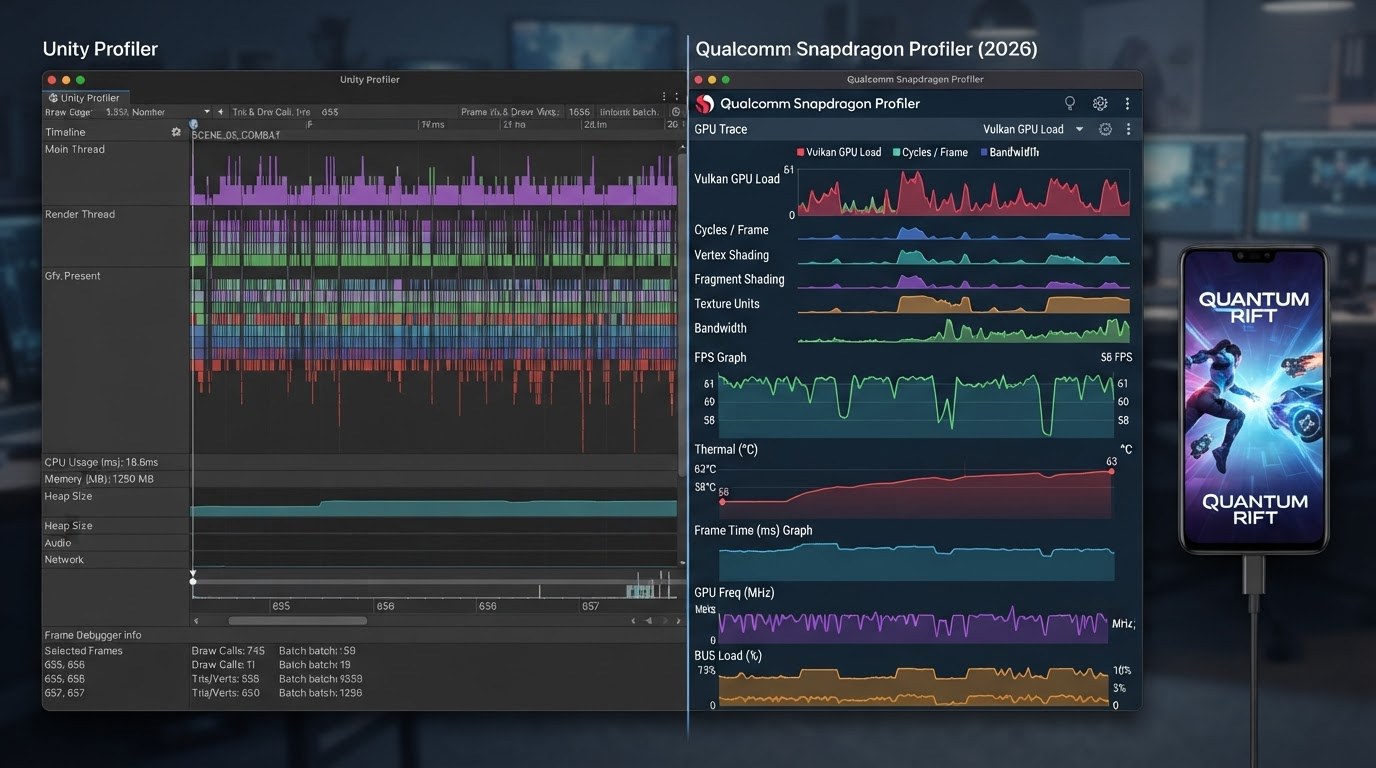
In modern Unity 6 pipelines, performance diagnostics for a mobile 3D project are no longer limited to simple Draw Call counts and frame polygon counts. With the widespread adoption of the GPU Resident Drawer, hybrid DOTS execution, and asynchronous GPU-side compute, the classic approach to finding bottlenecks falls apart: the number of draw calls in the inspector may approach one, yet the frame rate still drops to 25 FPS on target SOCs. Full-fledged optimization in 2026 requires triangulating the issue through a three-stage toolset: the high-level Unity Profiler, the structural Frame Debugger, and the hardware-level Snapdragon Profiler (or its equivalent for Mali/PowerVR chips).
Each of these tools is responsible for its own layer of abstraction. Attempting to diagnose GPU thermal throttling using the Unity Profiler will lead to false conclusions, just as trying to find a C# script memory leak using chipset system counters will. Below is a battle-tested algorithm for isolating CPU/GPU bottlenecks, relevant to the current Unity 6.x ecosystem.
Stage 1: High-Level System Analysis in Unity Profiler
The primary task at this stage is to determine the application's load profile (CPU Bound vs. GPU Bound) and ensure there are no delays in the render thread (RenderThread). In Unity 6, the profiling module features deep integration with the new Job System and an expanded Memory Profiler (Memory Profiler 2.x API):
- Main Thread vs. Render Thread Analysis: If the
Gfx.WaitForPresentOnExecutemarker takes up more than 40% of the frame time, the game is GPU-bound. IfWaitForTargetFPSorJobSystem.Executedominate, the issue is concentrated on the CPU. - Managed Memory Control (C# Allocations): In 2026, the standard allows for zero dynamic memory allocation in the
Update()loop. Using the GC Alloc module, you can pinpoint hidden boxing, LINQ calls, or lambda allocations inside DOTS systems. - Job Worker Threads Inspection: When actively using Hybrid DOTS, monitoring worker threads is critical. Long stall pauses during
JobHandle.Complete()synchronization indicate sub-optimal parallelism or improper dependency scheduling.
Stage 2: Structural Geometry and Batching Audit via Frame Debugger
Once the workload on the graphics subsystem is established, you need to break down the frame structure in detail. Frame Debugger in Unity 6 is tailored to work with URP pipeline innovations, including automatic mesh merging via the GPU Resident Drawer.
An optimization engineer must monitor the GPU Culling & Occlusion Pass. In Frame Debugger, make sure DrawMeshInstancedIndirect calls correctly batch objects into unified buffers. If an instancing chain breaks, the tool will display the specific Break Reason: differences in unique material parameters, dynamic Lightmap Index modifications, or exceeding constant buffer (CBUFFER) limits. Pay special attention to Shadow Caster passes. Uncontrolled shadow geometry generated for high-resolution mobile displays (WQHD+) often doubles the vertex load without any noticeable gain in visual quality.
Stage 3: Low-Level Hardware Profiling in Snapdragon Profiler
Unity tools provide insight into the engine architecture but obscure physical processes inside the mobile GPU (e.g., Qualcomm Adreno 700/800 series). At this step, the mobile device is connected via ADB in Low-Level Trace mode to Snapdragon Profiler (Layout: Real-Time System Trace / Graph Debugger).
- Memory Bandwidth Analysis: The main enemy of mobile performance is excessive pumping of textures and buffers across the DRAM bus. The
Read/Write Bytes Per Secondcounters should not exceed the allowable thermal design power (TDP). The use of UBWC (Universal Bandwidth Compression) and ASTC textures is verified here. - ALU vs. Texture Units Load (Fragment Bound): The
% Shaders Busymetric paired with% ALU Capacity Utilizedindicates whether the fragment shader is bound by math calculations or sampler fetch stalls. - Tile Memory Overflow (GMEM Stalls): Since mobile GPUs use a tile-based architecture (TBDR), flushing tile contents to main memory (Flush GMEM to System Memory) causes frame rate drops. The profiler will immediately highlight parasitic
Discard/Storeoperations caused by misconfigured Clear Flags in URP Render Passes. - Thermal Throttling Dynamics: Recording a profile for 15 minutes reveals the GPU clock degradation curve caused by overheating, helping you strike a balance between peak FPS and stable power consumption on the target device.
Step-by-Step Bottleneck Resolution Algorithm (Diagnostic Pipeline 2026):
- Capture metrics in Unity Profiler on a target physical device (not in the Editor!). Identify the bottleneck system: CPU (Main/Jobs) or GPU.
- If the bottleneck is on the CPU: profile C# calls, look for redundant Job System synchronizations, optimize component system code (ECS/DOTS), and reduce
TransformChangeDispatchoverhead. - If the bottleneck is on the GPU: open Frame Debugger, check GPU Resident Drawer efficiency, fix SRP Batcher break reasons, and reduce overdraw in transparent heterogeneous shaders.
- Run Snapdragon Profiler in hardware counter mode. Identify the root cause of GPU slowdowns: high texture sampling load, overly complex math in Compute Shaders, or GMEM flushes.
- Apply targeted changes to LOD Groups, materials, or URP graphics settings, and repeat the profiling cycle to verify your hypothesis.
Integrating this routine pipeline into automated CI/CD testing stages makes it possible to detect performance regressions before the build reaches QA, ensuring a stable 60/120 FPS even in the most demanding gameplay scenarios.
Memory Management and Battling Throttling: GC-Free Architecture and Thermal Control
In 2026 mobile game development, performance is defined not only by peak frame rates during the first few seconds of a benchmark, but by frame rate stability over a continuous 20–30 minute session. High transistor density in modern mobile chipsets leads to rapid heating under peak loads. If a game actively allocates memory in the Managed Heap and overburdens the silicon with unoptimized computations, the operating system forcibly throttles CPU and GPU clock speeds (Thermal Throttling). Frequency drops can range from 30% to 50%, turning a smooth 60 FPS into stuttery rendering. Battling throttling in Unity 6 requires a comprehensive approach: complete elimination of garbage collection (GC) during the runtime loop and the implementation of dynamic power management.
Zero-Allocation (GC-Free) Architecture in Managed and Non-Invasive Code
Despite the evolution of the Incremental Garbage Collector in Unity 6, any garbage collector invocations on mobile devices create micro-stutters due to thread synchronization. The golden rule for developing high-load 3D projects is zero memory allocation in the managed heap during gameplay (Zero-Allocation on Frame).
To achieve a GC-Free state in 2026, the following practical patterns are used:
- Using Span<T> and ReadOnlySpan<T>: The C# runtime built into Unity 6 allows slicing array and string segments without creating intermediate heap objects. This completely replaces legacy `substring` allocations or temporary arrays when processing binary data and strings.
- Unity.Collections Containers Instead of System.Collections.Generic: Using
NativeArray,NativeParallelHashMap, andUnsafeListremoves overhead from the C# Garbage Collector. Memory is allocated in unmanaged space and manually controlled via allocator types (Allocator.Temp,Allocator.TempJob,Allocator.Persistent). - Eliminating Implicit Boxing: Passing structs via interfaces or calling
enum.ToString()results in boxing value types into managed objects. Using generic constraints likewhere T : struct, IComponentDataallows the Burst compiler to generate highly optimized machine code without boxing. - FixedString String Buffers: Replacing standard C#
strings with fixed-size types from `Unity.Collections` (such asFixedString32Bytes,FixedString64Bytes) ensures that operations with text labels, entity names, and UI elements occur exclusively on the stack or in native memory.
The Impact of DOTS Cache Locality on Thermal Reduction
A lesser-known yet critical factor in thermal throttling is RAM bus energy consumption. Frequent CPU cache misses force the CPU to constantly query LPDDR memory. Every bus transaction generates heat. Data organized according to Data-Oriented Design (DOD) principles in DOTS resides in memory in contiguous blocks (Chunks). When processing them, the system controller fetches data into the L1/L2/L3 caches with maximum efficiency. Reducing the frequency of accesses to external RAM directly decreases mobile SoC heat generation, pushing back the throttling threshold.
Adaptive Thermal Control via Adaptive Performance SDK
Even with perfectly GC-Free code, a game can still heat up the device due to demanding graphics. Power optimization in Unity 6 centers around integrating the Adaptive Performance SDK, which interacts with low-level OS APIs (Android Adaptive Performance Framework / AAPF and Apple Thermal State API).
Instead of running at fixed maximum settings, the engine receives metrics from the OS regarding current device status (`ThermalStatus`) and thermal headroom (`Thermal Trend`). Based on this data, workload is downgraded gracefully before the system applies aggressive hardware throttling:
- Managing targetFrameRate and Frame Pacing: If a system flag signals a transition to the `Throttling.Warning` status, the game dynamically limits the frame rate (for example, down from 120/60 FPS to a stable 45 or 30 FPS). This allows the silicon to cool down without visual screen tearing.
- Dynamic Resolution & Upscaling: Paired with URP, the render scale scaler decreases the internal frame resolution by 10–25%, followed by spatial upscaling (FSR/STP), offloading work from the mobile GPU.
- Cascaded Disabling of Graphical Effects: Automatically reducing shadow draw distances, disabling secondary particles in the Visual Effect Graph, and lowering Bloom/SSAO quality based on chassis temperature.
Memory and thermal management architecture in 2026 is not just calling `System.GC.Collect()` on loading screens, but a fully controlled pipeline. Offloading data to Native memory, minimizing cache misses via DOTS, and leveraging hardware feedback through Adaptive Performance allow games to maintain a stable frame rate in mobile 3D games even during long play sessions.
App Store and Google Play Requirements in 2026: Target SDK, Android Performance Tuner, and 64-bit Builds
High performance of a 3D game in Unity 6, achieved through GPU Resident Drawer or DOTS, does not guarantee commercial success if the project fails to comply with the latest strict rules of mobile platform regulators. In 2026, both Google Play and the Apple App Store enforce zero-tolerance requirements for technical optimization, binary architecture, and real-time device health monitoring. Non-compliance with these regulations leads either to automatic build rejection during the automated review phase or to artificial suppression of featuring and organic search rankings by store algorithms due to Android Vitals and Apple Energy Impact metrics.
For publishing apps on Google Play in 2026, the key standard is a mandatory transition to Target API Level 35 (Android 15), preparing for target builds on Target SDK 36. In Unity 6, Player Settings require engineers to completely abandon any legacy 32-bit libraries. Support for `armeabi-v7a` has been permanently deprecated for modern mobile 3D graphics. Builds are compiled strictly for the 64-bit architecture (`arm64-v8a`) using the IL2CPP backend with full optimization for the ARMv8.4-A instruction set and higher. This allows mobile processors to distribute resources more efficiently between performance (P-cores) and efficiency (E-cores) cores, saving up to 12% of frame time at the system call level.
The primary tool for integrating adaptive profiling into the Android ecosystem is the Android Performance Tuner (APT) module, included in the current Google AGDK (Android Game Development Kit) 2026 package and fully integrated with Unity Adaptive Performance 5.0+. APT integration allows developers to segment their target audience not by abstract phone models, but by actual graphics profiles (Quality Tiers). Frametime signatures are sent to the Google Play Console, generating detailed analytics:
- Frame Time Disruption Rate: The percentage of frames exceeding the target frame budget (33.3 ms for 30 FPS or 16.6 ms for 60 FPS).
- GPU/CPU Boundness ratios: The ratio of performance bottlenecks depending on active URP technologies (e.g., overhead from high draw call counts vs. heavy shaders).
- Thermal Throttling Events: Tracking instances when the OS throttles chip frequencies to prevent overheating.
Combining the Adaptive Performance (Unity 6) package with Android and iOS drivers unlocks capabilities for hybrid "on-the-fly" optimization. When the system receives a signal that the device is approaching a thermal threshold (`ThermalStatus.Serious`), the game's runtime scripts can dynamically reduce load without a visible drop in image quality. In the Unity 6 pipeline, this is implemented by subscribing to adaptive context events:
// Example of dynamic platform adaptation in Unity 6
var thermalStatus = AdaptivePerformanceRenderScaler.ThermalStatus;
if (thermalStatus == ThermalStatus.Throttling)
{
    // Dynamic reduction of URP Render Scale resolution
    UniversalRenderPipeline.asset.renderScale = 0.85f;
    // Target frame rate limiting
    Application.targetFrameRate = 30;
    // Disabling heavy post-processing effects (Motion Blur, Depth of Field)
    VolumeManager.instance.stack.GetComponent<DepthOfField>().active = false;
}
On the Apple App Store side, in 2026, using the iOS 19 SDK and building projects with Xcode 17+ is mandatory. Apple has completely eliminated the ability to use legacy graphics APIs, making Metal 3 the only permissible low-level interface. By default, Unity 6 compiles shaders into Metal Shading Language (MSL) 3.1, requiring correct buffer layout configuration in URP material files. Furthermore, Apple places special emphasis on monitoring battery drain: apps with a high Energy Impact index lose search rankings. Using the Adaptive Performance Apple Provider smooths out peak loads on Apple A18/A19 and M-series chips through precise task distribution across cores via the `ProcessInfo` system API.
To manage the build size of large-scale 3D games (ranging from 3 to 10 GB in 2026 due to 4K textures and high-poly meshes), splitting the build is a mandatory requirement. Google Play utilizes Play Asset Delivery (PAD) with the Android App Bundle (.aab) format, where DOTS subscene geometry and textures are packaged into detachable asset packs (`install-time`, `fast-follow`, and `on-demand`). In the App Store, a similar role is played by On-Demand Resources (ODR), which optimize the initial download size from the store and stream heavy content as players progress through the game.
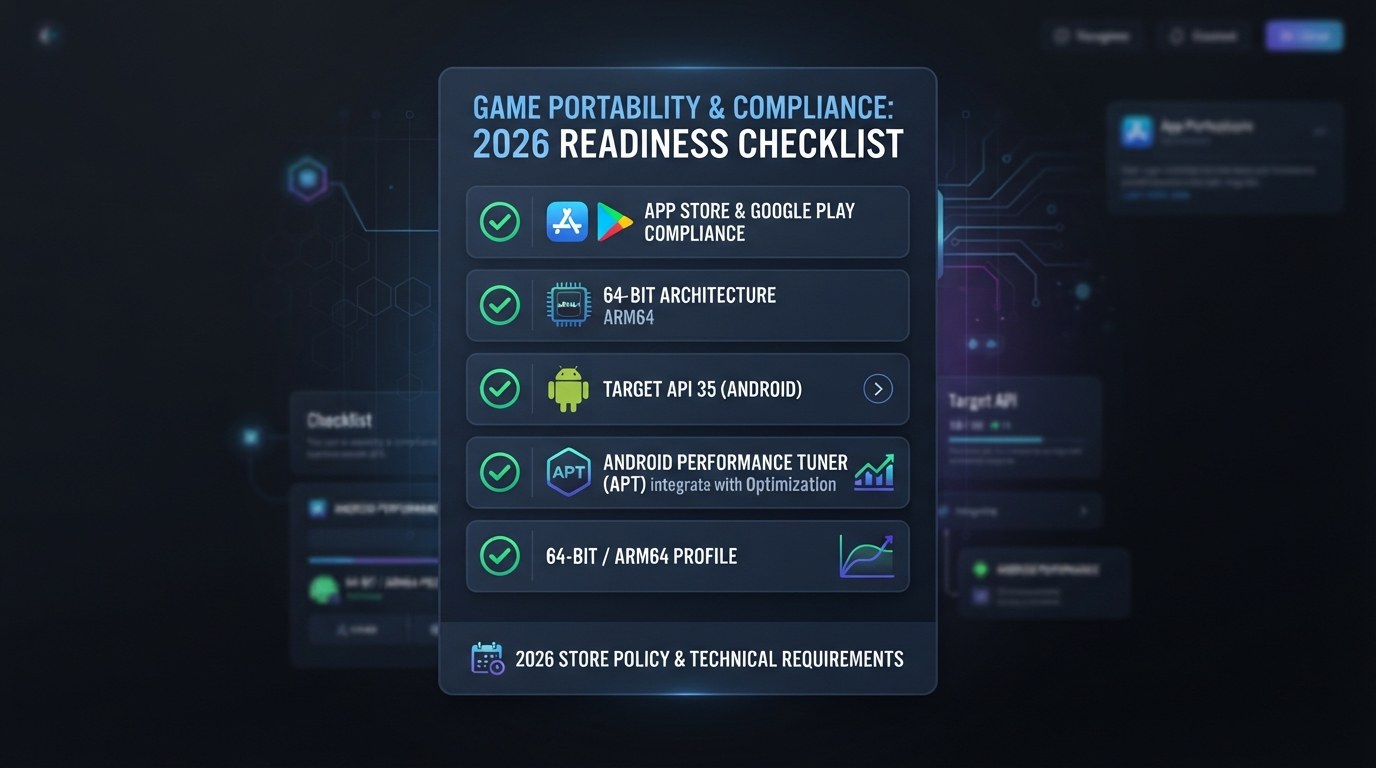
Performance Scalability Matrix and Final 60/120 FPS Checklist
In 2026–2027 mobile game development, a single fixed graphics preset is unsustainable: budget chipsets instantly thermal throttle, while flagship owners with Snapdragon 8 Gen 4/Gen 5 and Apple A18/A19 chips demand a solid 120 FPS. To ensure predictable performance in Unity 6, a flexible Scalability Matrix is essential, combining the capabilities of graphics APIs (Vulkan 1.3, Metal 3) with the Universal Render Pipeline (URP) architecture.
Below is a practical configuration matrix for the Unity 6 graphics stack, categorized by three main mobile device tiers:
-
Low-End Tier (Budget Segment / Legacy ARM Mali & Qualcomm Adreno):
- Target Frame Rate: 30–60 FPS (with a focus on frame time stability).
- Resolution & Upscaling: Dynamic Resolution 0.7x–0.8x paired with Spatial-Temporal Post-processing (STP) upscaling in Performance mode.
- GPU Resident Drawer: Disabled or restricted to batching static environment elements only (automatic fallback to SRP Batcher when hardware Multi-Draw Indirect support is missing).
- Lighting & Shadows: URP Forward+, 1 directional light shadow cascade (1024x1024), spot/point shadows disabled, Hard Shadows.
- Textures & Memory: ASTC 6x6 / 8x8 compression, Anisotropic Filtering disabled, Texture Streaming limit up to 512 MB.
-
Mid-Range Tier (Mainstream / 60 FPS Standard):
- Target Frame Rate: Native 60 FPS without drops or overheating.
- Resolution & Upscaling: Native 1.0x (or adaptive 0.85x–1.0x + STP Quality Mode).
- GPU Resident Drawer: Fully enabled, utilizing compute shader-based GPU Occlusion Culling.
- Lighting & Shadows: URP Forward+ / Tile-Based Deferred, 2 shadow cascades (2048x2048), Medium Soft Shadows, up to 4 local shadowed lights.
- Textures & Memory: ASTC 4x4 / 6x6 compression, Anisotropic Filtering 2x–4x, Texture Streaming limit — 1024 MB.
-
Flagship / High-Refresh Tier (Flagships / 120 FPS Gaming):
- Target Frame Rate: Native 120 FPS / High Refresh Rate.
- Resolution & Upscaling: Native 1.0x / Supersampling (STP Ultra Quality or FSR Mobile).
- GPU Resident Drawer: Maximum utilization alongside Entities Graphics and transform instancing.
- Lighting & Shadows: 4 shadow cascades (4096x4096), High Quality Soft Shadows, native Screen-Space Ambient Occlusion (SSAO) via Render Graph, up to 8 local lights with dynamic shadows.
- Textures & Memory: ASTC 4x4 compression, Anisotropic Filtering 8x–16x, Texture Streaming limit — 2048+ MB.
Final Optimization Checklist for a Mobile 3D Project in Unity 6:
- C# & DOTS: Has heavy batch logic (AI, particle physics, trajectory calculation) been migrated to the C# Job System and Entities? Verified zero allocations in hot loops (e.g., `Update()`) — 0 Bytes/frame in Profiler? Are Burst Compiler Safety Checks disabled in Release builds?
- GPU & Render Graph: Have all custom render passes been migrated to the Render Graph API, eliminating `CommandBuffer.Blit` calls and redundant intermediate RTs that trigger cache flushes on TBR/TBDR architectures?
- Geometry & Geometry Streaming: Is GPU Resident Drawer enabled for all compatible Mesh Renderers and Instanced Materials? Are LOD Group transition distances properly configured?
- Shaders: Has shader keyword stripping been properly configured, and has high-precision math (`float`) been replaced with `half` in Shader Graph across all mobile targets?
- Frame & Display: Is hybrid refresh rate management set up via `Application.targetFrameRate` and the Frame Pacing API for Android 15/16 and iOS 18+ to prevent frame desync at 120 Hz?