


Mobile Landscape of 2026: Store Requirements and Hardware Realities
By 2026, the mobile market has finally solidified its status as a highly competitive environment where the quality of technical implementation directly affects project visibility. Stores have stopped focusing solely on marketing metrics; App Store and Google Play ranking algorithms now include hidden performance quality signals. Key factors have become frame rate stability during long sessions exceeding thirty minutes, absence of micro-lags in the interface, and energy efficiency. Games that demonstrate throttling or excessive device heating within the first ten minutes of gameplay receive an automatic drop in rankings for categories like "Recommended" and "Indie Hits".
The hardware base of flagship devices from 2025–2026 is based on custom ARM cores with aggressive scheduler algorithms. Apple Silicon A19 Pro chips and Qualcomm Snapdragon Elite solutions demonstrate peak GPU performance comparable to last-generation consoles, but their thermal envelope remains a hard limitation. Manufacturers have switched to unified memory architecture with bandwidth exceeding 150 GB/s, which paves the way for heavy compute shaders. However, the reality is that the mass segment—mid-range smartphones costing up to four hundred dollars—uses previous-cycle chips with cut-down memory buses and lacks full support for Mesh Shaders.
For developers using Unity 6, this means a strict necessity to bifurcate the pipeline. The target benchmark for a comfortable gaming experience in 2026 is stable 90 FPS on high refresh rate displays without dropping CPU frame time below 8 milliseconds. At the same time, power consumption must not exceed the threshold that triggers forced SoC frequency limiting by the device's power management system after fifteen minutes of active play.
App store requirements regarding package sizes have tightened. In 2026, Android App Bundle dynamically slices assets, but Google has introduced hard limits on the Base Module size for quick installation from search results. Exceeding the 40-megabyte threshold for the first launch critically reduces install conversion rates. This forces teams to move level generation and procedural object placement to runtime, utilizing the DOTS approach to minimize C# Job System overhead.
A crucial aspect has been the adoption of Vulkan 1.4 as the de facto standard on Android. Drivers have learned to handle bindless textures more efficiently, however, older APIs like OpenGL ES have completely lost optimization support from driver manufacturers. Using the GPU Resident Drawer in Interleaved mode becomes a mandatory requirement for scenes with rendering density above three thousand unique objects in the camera frustum. Without this, CPU-side rendering becomes a bottleneck even on powerful devices due to the cost of changing graphics pipeline states.
Finally, the iOS ecosystem requires adaptation to Metal 4 and new Dynamic Island screen resolution standards of the latest generation. Optimizing UI element batching over heavy 3D scenes has come to the forefront, as HUD overlays often cause greater performance drops than world geometry. Developers must plan draw call budgets at the pre-production stage, budgeting for hybrid SRP operation modes.

Memory Architecture and Burst Compiler: The Foundation of Performance in Unity 6
In the Unity 6 ecosystem (the LTS branch relevant for 2026), performance in mobile 3D projects is no longer solely a question of "good shaders." The key factor for stability on mid-range devices has become memory management architecture. The old approach with frequent allocations in the managed heap (GC Alloc) is fatal for modern displays with refresh rates of 90–120 Hz: any garbage collector pause exceeding 4 ms causes noticeable micro-stuttering. In our current pipeline, we completely abandon system lists List<T> and LINQ within the game loop.
The foundation relies on Native Collections version 2.5+. The com.unity.collections package is now tightly integrated with the thread safety system of the Jobs System. Using NativeHashMap<int, Entity> instead of dictionaries helps avoid boxing and heap fragmentation. The most significant change of 2026 is the transition to the unified allocator Memory.Unmanaged.FreeOnJobCompletion. This removes the headache of manual memory release inside complex chains of IJobEntity tasks, guaranteeing leak-free operation without finalization overhead.
The Burst Compiler has reached version 1.12, and its role has transformed from a math accelerator into a full-fledged architect of executable code. The option Enable MSL / SPIR-V Precise Math is enabled by default for mobile targets. This guarantees determinism of physics and visual effects between Snapdragon and MediaTek chips, which is critical for multiplayer. However, precision costs cycles. For procedural level generation or complex AI logic, it is recommended to use the directive [BurstCompile(FloatPrecision.Low, FloatMode.Fast)]. In 2026, mobile GPUs are smart enough to handle reduced-precision floats without artifacts in non-critical calculations, saving up to 15% execution time on heavy jobs.
Special attention should be paid to data structure. The Data-Oriented Technology Stack (DOTS) is no longer experimental. ECS archetypes are optimized for ARMv9 cache lines. When designing components, adhere to the Size-Class Alignment rule: the struct size must be a multiple of 16 bytes. This prevents read splitting when accessing via SystemAPI.Query. If your component contains boolean flags, pack them using bool4 or bitmasks in uint, as a single bool forces the compiler to generate inefficient masking operations.
Typical pitfalls of the current stack:
- Managed Lambda in Entities.ForEach: Even if the lambda only captures a local index variable, it ejects the code from Burst. Use static member functions or pass data through ref parameters.
- AsParallelWriter without capacity reservation: Call
Capacity()before parallel writing to NativeQueue. Dynamic queue expansion in multithreading leads to blocking of Android/iOS OS kernels. - Unsafe pointer casts: With tightening Google Play Integrity API requirements, arbitrary unsafe code usage can lead to application crashes in protected runtime environments.
Final architecture checklist: zero allocations after the loading screen, complete transfer of game logic to IJobEntity, forced freezing of transformations for Static Batching objects via EntityManager.SetComponentData<TransformAuthoring> during scene baking. Only such strict control over bytes provides stable 120 FPS on Adreno 7-series hardware.
Data-Oriented Tech Stack (DOTS): A Practical Entry into Entities Graphics
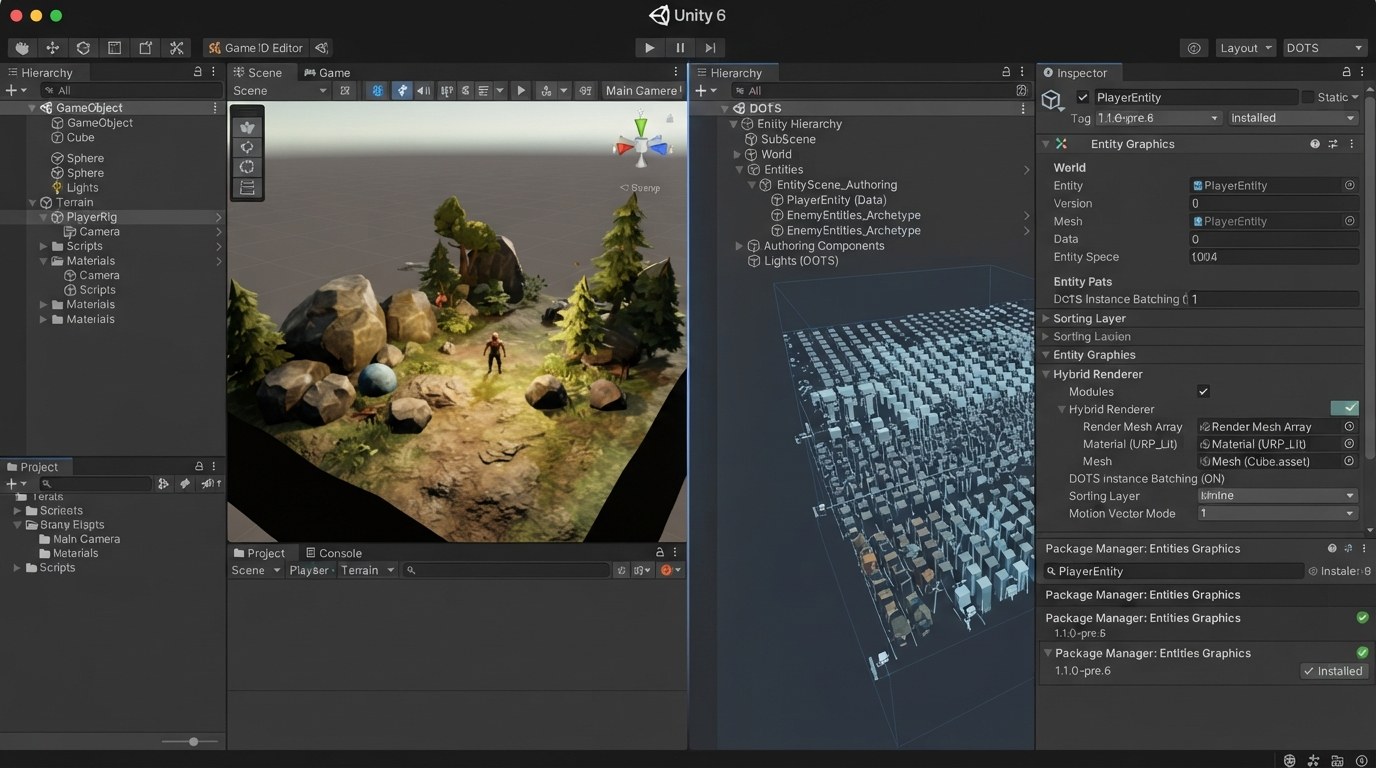
In 2026, the Data-Oriented Tech Stack on Unity 6 is no longer an experiment but a production-ready tool for mobile projects featuring dense NPC crowds and destructible environments. The primary goal of migration is to move transforms and rendering from GameObject World into the Entity World, offloading the CPU from batching and runtime component checks. To preserve the familiar PBR pipeline, the Entities Graphics package is used alongside Hybrid Renderer. It translates ECS data directly into the SRP batcher, supporting GPU Occlusion Culling and modern mesh formats without quality loss.
Step 1: Infrastructure and Baseline Profiling. Before migrating, fix your "frame cost" metric on static geometry. Enable DOTS Hierarchy and Entity Debugger. Ensure you have the latest packages installed via Unity Registry: Entities@1.3.x, Entities Graphics@1.2.x, Physics@1.1.x. In project settings, activate Enable DOTS Runtime conversion. It is critically important to check Project Settings → Graphics: URP or Built-in with Hybrid V2 support must be active, and the API should strictly be Vulkan with Device Native RenderPass enabled for Mali/Adreno chips.
Step 2: Migration of Static Level Geometry. Static objects are the easiest candidates. Use the ConvertToEntity component with the Convert And Destroy mode. Objects will receive RenderMesh and LocalToWorld. To avoid memory duplication, use Blob Assets to store vertex buffers for large props. If the level is assembled from tiles, use SubScene and bake the scene offline. This allows the loader to provide a ready-made archetypal entity structure, bypassing GameObject counting during gameplay. For occlusion, ensure that converted objects have the correct Occlusion Culling Layer assigned.
Step 3: Characters and Skinning Without Lag. Character animation traditionally hits the Main Thread hard. Switch to GPU Skinning via Entities Graphics. Mark skinned meshes with the [GenerateAuthoringComponent] attribute for a custom MonoBehaviour that writes bone matrices into DynamicBuffer<SkinMatrix>. On the animation system side (e.g., integrated with PlayableGraph), update only the bones that have changed. Mobile Adreno drivers in 2026 are extremely sensitive to SetVertexBufferParams calls; the hybrid pipeline minimizes them using Persistent Buffers. Be sure to disable Quality Settings → Skin Weights = One Bone if the art style allows simplifying weights to 4 per vertex.
Step 4: Materials and Shading. Hybrid Renderer supports the standard Shader Graph for URP. However, mobile titles require strict control over Variant Stripping. Create a separate Shader Stripper Profile that removes all lighting branches except Lit + Forward. Avoid using Sample Buffer inside shader graphs within ECS objects—reading pixels kills Job parallelism. Instead, pass global parameters (time, weather) through MaterialPropertyBlock, injected by the EntitiesGraphicsSystem.
Step 5: Systems and Multithreading. Replace coroutines with IJobEntity. Moving thousands of mobs should happen in ScheduleParallel. Watch out for Race Conditions when writing to LocalTransform. Use EntityQueryOptions.FilterWriteGroup so Jobs do not conflict with hierarchy transformation systems. Finalize the frame by calling CompleteAllJobs() immediately before the simulation barrier (SimulationSystemGroup) so the driver can prepare Command Buffers ahead of time.
GPU Resident Drawer: When to Enable It and How to Prepare Assets
GPU Resident Drawer (GRD) in Unity 6 is a GPU-side batching system that radically reduces CPU load when rendering static objects. Instead of assembling Command Buffers with thousands of draw calls, the engine registers meshes into a global scene structure, after which the runtime or a custom render pass draws them via instanced indirect calls. In 2026, GRD became the standard for mobile open-world and session-based projects with dense environments, but it is not a "magic button." Its effectiveness directly depends on the quality of asset preparation.
When to enable: Enable GRD if you have more than 500–1000 Static Batching eligible objects on screen simultaneously and your project is bottlenecked by the main thread regarding Batches Saved by SRP Batcher/BatchRendererGroup. On budget Android chips (Snapdragon 6 Gen 1 level and below), the overhead of managing descriptor pools can negate the benefit. Test on real hardware like Samsung A35/A55. If you are making a corridor shooter from segments where the camera never sees more than 50 objects, the classic SRP Batcher will be more efficient due to lower video memory consumption for matrix tables.
Mesh Preparation: The system groups objects by Vertex Format. Any discrepancy breaks the batching.
- Vertex Fetching: Ensure all props use an identical vertex layout. Do not mix UV channels. If an object doesn't need a second UV channel, ensure the channel exists (filled with zeros), or use shaders with pragma target that support a unified data format.
- Scale and Pivot: GRD handles non-uniform scaling well, but only if the scale is set before baking lightmaps. For dynamic batch-groups, avoid changing scale during gameplay; change mesh.bounds or vertices instead, otherwise the driver recalculates culling volumes too frequently.
- Lightmaps: Objects must belong to the same lightmap atlas. Different atlases mean different texture arrays = batch break.
Materials and Shaders: This is the most common place for errors. GRD works on top of SRP Batcher logic.
- Shader Variants: Use Shader Stripping aggressively. In Project Settings / Graphics, disable unused fog modes and instancing variants. Each unique combination of keywords creates a separate Material Property Block ID, which fragments the virtual GRD batch.
- Per-instance data: Color Tint or smooth appearance (Fade) should now be done via Global Ids or Custom Buffer in a Compute Shader synchronized with BatchRendererGroup. Using MaterialPropertyBlock.SetColor kills instancing within one frame of GPU command assembly.
- Textures: Switch to Texture Arrays or Virtual Texturing (VT). GRD allows drawing thousands of objects with a single call, but if each uses its own small albedo texture, the GPU will stumble over sampler binding changes. Atlasize diffuse textures to at least 2K size, preferably using VT Pages in ASTC 8x8 format.
Project Settings: Go to HDRP/URP Asset. Find the Rendering / GPU Resident Drawer section. Instanced Drawing mode gives maximum performance but requires Indirect Arguments buffer support (iOS Metal Tier 2+, Android Vulkan 1.1+). If testing on older devices for fallback reasons, set Enabled with Fallback. Be sure to enable Occlusion Culling paired with GRD — the system does not perfectly cull invisible geometry itself; it needs HLOD clusters or Umbra/Occlusion Data.
Checklist before build:
- Do all statics have Scale 1,1,1? Check parent scales.
- Do vertex formats match across all grass/rock prefabs?
- Are non-standard Keywords removed from environment materials?
- Does the number of unique Mesh Filter components exceed the Bindings Per Draw limit (usually 4k)?
A properly configured GRD removes the task of Scene Culling formation from the CPU, transferring it to specialized device chips, which is critical for maintaining stable 90 FPS in VR/AR hybrid projects of 2027.
Hybrid Render Pipelines: URP Forward+ vs Mobile-Native Solutions
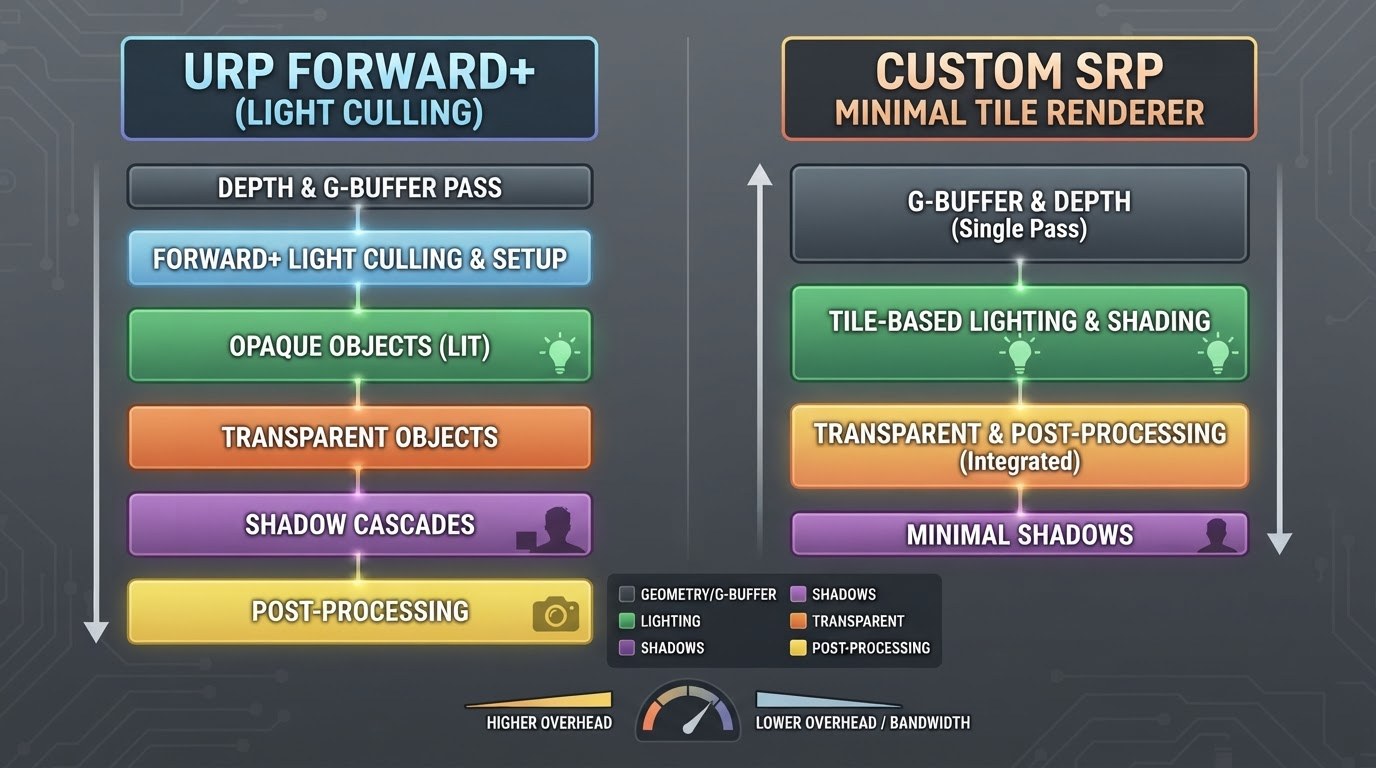
In 2026, the choice between standard URP Forward+ and native mobile pipelines is no longer a matter of taste—it's a calculation of the cost per frame on specific SoCs. Unity 6 offers a mature hybrid approach where the classic SRP serves as a framework for Compute or CommandBuffer injections. For flagship devices with graphics levels like Adreno 8 Gen 2 and Apple A19 Pro, Forward+ has become the de facto standard even in mid-segment mobile projects thanks to efficient tiled rendering.
The key advantage of Forward+ (Universal Rendering Pipeline) lies in its predictability when increasing the number of dynamic light sources. Unlike classic Deferred, it does not require heavy G-buffer passes, maintaining compatibility with MSAA and transparency without Multi-Pass workarounds. In practice, tests show stable 5–7 ms per frame for scenarios involving "32 spotlights + 4 point lights" at QHD+ resolution. However, the main risk lies in overdraw from transparent objects. If your project uses dense foliage or VFX with multiple particle layers, the computational cost of fragment shaders in Additive/Multiply mode begins to dominate the lighting calculation cost.
An alternative comes from custom mobile-native solutions, often built around Clustered Lighting. The essence of the method is simple: the scene is divided into a 3D grid (clusters), where indices of influencing lights are packed during CPU Frustum Culling. In Unity 6, this process is effectively offloaded to the GPU via the NativePass API. The benefit is obvious on budget chips (e.g., MediaTek Dimensity 8400): you completely disable the built-in ForEachLight loops in standard Unity shaders, replacing them with a single hard-optimized compute pass tailored to your game's specifics.
Comparison based on real-world cases:
- Open World (Day/Night cycle): Here, Forward+ wins with AdaptiveProbeVolumes (APV) enabled. Global Illumination is partially baked, while blending with dynamic light happens seamlessly. Native solutions require a complex manual GI cache invalidation system, which increases development time.
- Corridor Shooter/Dungeon: An ideal environment for Clustered mode. The number of static lights runs into hundreds, but they are visible locally. Using DOTS to prepare cluster buffers allows staying within a ~3.5 ms budget on Mali-G720, whereas Forward+ might drop to 6 ms due to the overhead of universal tooling.
- Strategies with thousands of units: Pixel shader performance is critical. Hybrid Renderer coupled with Object Motion Vectors overloads ROPs. Optimal becomes a two-pass forward renderer with forced PerObjectLights=1 limitation and using LTCGI for soft ambient shadows.
The practice of 2026 dictates using ScriptableRenderFeature as a bridge. Don't try to rewrite the entire Base Pass. Instead, implement Selective Deferred Lit Ops only for hero PBR materials, leaving the environment on a lightweight Forward pass. This solves power consumption issues: modern Android GPU Profiler profiles confirm that peak GPU frequency holds longer under mixed load, avoiding throttling compared to heavy mono-deferred setups.
An important aspect of integration is working with materials. The standard Lit Shader Graph remains slow due to branching. Move to Shader Variant Stripping Level 4 and use Unlit/SimplifiedLit templates for all fill-rate dependent content. Hybridity today is the ability to combine the reliability of stock URP for UI and interfaces with low-level control over Static Batch Entities batching and DrawMeshInstancedIndirect for crowds, bypassing expensive engine visibility checks where gameplay logic has already provided the answer.
Packaging and Streaming: Addressables 2.0 and Scene Streamer in Action
On mobile devices, RAM is the strictest limit, and freezes during transitions break retention more than FPS drops. In Unity 6, the combination of Addressables 2.0 and the new Scene Streamer has become the standard for seamless loading without "freezing" the stream. The task is simple to formulate but complex to execute: keep only what is necessary in RAM, pull everything else asynchronously from disk or network, without blocking the Main Thread and Job System.
Addressables 2.0 relies on Play Asset Delivery (Android) and On-Demand Packs (iOS). Divide content strictly by scenarios: game core (Core), levels/modes (LevelPack_*), cosmetics (Cosmetic_*), localization (L10n_*), and heavy media files (Media_HQ). Enable deterministic build hashes and Build Retry for unstable CI infrastructure; this saves you from manifest discrepancies between platforms. For textures, leave Adaptive Texture Sizer inside groups: it automatically shrinks bundles for target device classes, considering the VRAM budget profile (Low/Medium/High) that you set via the Device Performance Tuner API.
The Simulate Groups mode in the editor with enabled disk delay simulation is critically important — even before testing on a device, you can see where synchronous Resolve pulls down the frame. Prohibit Sync Loads globally in the release config: any exception must be point-specific and justified. Use LoadAsync with cancellation tokens (CancellationToken) and priorities: background cosmetic packs load at Low level, gameplay prefabs — High, critical level dependencies — Critical. Abandon universal Bundle Variants in favor of clear Profile Tags: they behave more predictably in PAD/Obb layouts and simplify hotfix delivery of individual sets.
Scene Streamer in Unity 6 solves the second half of the task — controlling scene sections. Move key level zones into SubScenes marked as Streamable and define Loading Windows: rectangles around the player where sub-scenes are raised in advance but instantiated later. Use AsyncInstantiate from the DOTS subsystem to spawn entities outside the main frame, distributing work across several frames. Connect the Instance Remap Table together with Entity Prefab Cache so that repeated appearances of enemies and destructible objects use ready-made factories without memory reallocation.
Textures and meshes require separate attention regarding GPU streams. Keep Virtual Texturing enabled for landscapes and large environment atlases; Region Requests should go in batches every N frames, smoothing out PCIe traffic spikes. Run Mesh Data Optimizer as a post-process before packing LevelPacks: split static geometry (aggressive vertex merging, Read/Write Off, indexed half-precision formats) and dynamic (keep separate mini-atlases of lower resolution). Switch animation clips to Animation Compression Library v2 with a MobileOptimal profile and disable unnecessary tracks already at the import stage.
Metrics decide the fate of streaming. On-device, monitor TimeToFirstFrame after LoadSceneAsync, frequency of Cancelled Loads, Resident Memory share by categories, and VT-tiles fetched per frame. If TTF grows by more than 30% relative to the Medium class baseline, decrease the Window Size for scene loading or move some decor to Impostors/VDM. During VT request spikes, cut MIP filter density away from the camera and introduce a Cooldown on new requests during combat.
Finally, update infrastructure. Hot-swap metadata for Addressables allows fixing incorrect labels and pack weights without rebuilding .apk/.ipa, provided Core remains immutable. Store a fallback pack of the minimum viable level inside OBB/AAB so that the first launch is always offline and fast. This stack turns content loading from a pain point into an unnoticeable UX detail even on budget Android smartphones of 2026.
Animation and Skinning in the DOTS Era: Skinning Batching and Compute Deform
In 2026, Unity 6's mobile pipeline has definitively split animation into two non-intersecting streams: high-poly performance for main characters and computational (compute) skinning for crowds. The classic approach using the Skinned Mesh Renderer component on the CPU remains a bottleneck when trying to display dozens of characters simultaneously. Transitioning to hybrid ECS architectures requires abandoning old bone update logic in favor of systems that offload geometry deformation to the graphics processor.
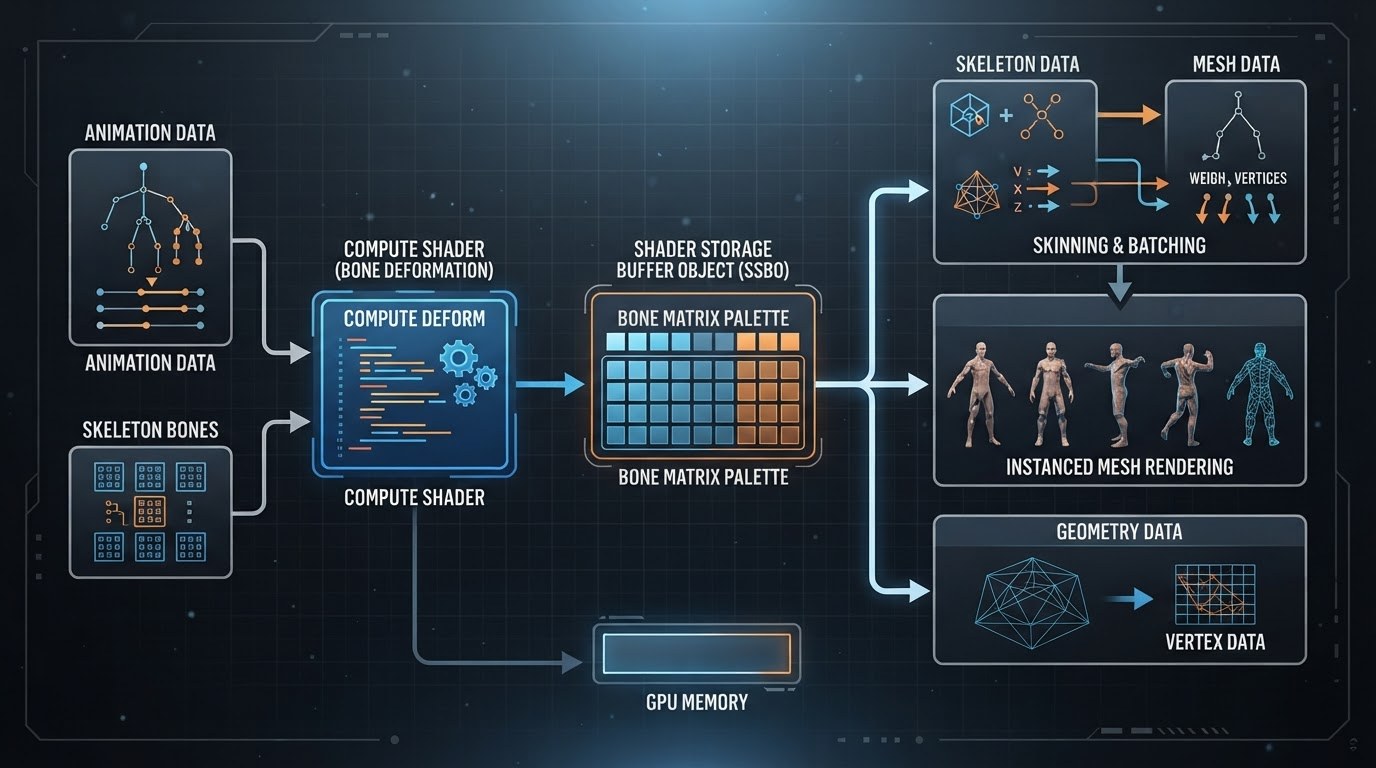
The key tool became the Animation Rigging 1.5+ package, integrated directly with Entities Graphics. Instead of reading bone matrices through the standard binding mechanism, developers now use a "bake and send" strategy. Bone transformation data is packed into Structured Buffers or texture formats like RGHalf/RGFloat. This allows the deformation shader to access poses without blocking the main render thread. In the context of DOTS, this means the AnimationStreamJob system forms data exclusively within the Job System, while final weight blending occurs asynchronously relative to physics.
To optimize performance, the following practices should be implemented:
- Compute-based Vertex Skinning: Disabling standard GPU skinning on SMR and moving calculations to a custom compute shader. This eliminates driver overhead associated with updating vertex buffers every frame. The position buffer is updated once and then used as a resource for subsequent instancing.
- Bone Texture Atlases: Individual matrix arrays are no longer used for NPC crowds. All bones of a character group are atlased into one large texture. This allows a single DispatchIndirect call for hundreds of models using SRP Batcher-friendly materials with a shared Shader Property Block.
- GPU Resident Drawer & Indirect Arguments: When using HDRP or URP with the resident drawer enabled, deformed geometry is flagged as Dynamic Occlusion. Since vertices are already calculated on the GPU, the engine can use these computation results for frustum culling (Hi-Z occlusion culling), saving draw calls for invisible agents.
Special attention should be paid to bone weight settings. In 2026 mobile projects, it has become a strict standard to limit influence to two or three joints per vertex (bone weights). Using four weights often activates heavier execution paths in the microarchitecture of mobile chip series such as Snapdragon 8 Gen 4–Gen 5 and Apple A18/A19 Pro. If your project uses Facial AR or complex facial expressions, apply morphing (BlendShapes) only through delta-buffers in a compute shader. Blending morph targets on the CPU inside the Jobs loop kills multithreading due to random memory access.
A critically important aspect has become stream synchronization. A common mistake made by studios is waiting for the animation task to complete before starting camera rendering (Camera.Render()). Use Async Readback and Vulkan/Metal fence synchronization. The graphics thread should work with previous frame data while the current game tick calculates new IK positions. In the Entity Component System, this is realized through a chain of system dependencies: AnimBakerSystem -> AnimDispatchSystem -> EndFrameDeformBarrier. Such a pipeline guarantees the absence of CPU stalls even with a density of 200+ active rigs on screen on a budget Android device.
VRAM Management and Texture Compression Wars: ASTC vs. New Formats
In 2026, the battle for video memory on mobile devices has shifted from the "more megabytes equals better graphics" paradigm to a regime of strict VRAM conservation. Modern chips, such as the Snapdragon Elite series and Apple Bionic A19/A20, boast powerful GPUs, but their appetite for bandwidth remains the primary bottleneck. For Unity 6 projects, texture management is no longer a matter of aesthetics; it is the foundation for stable 60/90 FPS without throttling.
The ASTC (Adaptive Scalable Texture Compression) format remains the de facto industry standard, yet its usage requires a nuanced approach to compression blocks. The era of ubiquitous ASTC 4x4 for everything ended with the arrival of new generation L2 caches. In the hybrid pipeline of the Universal Render Pipeline, current practice dictates strict segmentation:
- ASTC 8x8 / 6x6: Base resolution for character diffuse maps and key environment assets. On Quad HD+ screens, this provides a balance between clarity and memory consumption.
- ASTC 10x10 / 12x12: An optimal choice for large landscape surfaces and skyboxes where texel density falls below the player's critical perception threshold.
- BC7 via on-device transcoding: For flagship Android 15+ devices, we use intermediate formats like BasisU or ZStandard textures, which the driver converts to BC7. This yields quality gains compared to software decoding of heavy ASTC blocks at comparable package sizes.
The main novelty of 2026 has been the mass transition of SoC manufacturers to EACR (Enhanced Adaptive Color Representation) and proprietary derivatives of ASTC HDR. If your project uses the URP Deca Pipeline or experimental features of High Definition Render Pipeline for Mobile, forget about old RGBM luminance encoding. New mobile GPUs natively support EACR formats, allowing lighting maps and emission textures to be stored with up to 16-bit precision per channel at nearly the cost of standard ASTC. In Unity 6, this is activated via the Sampler Precision Override setting in Project Settings, saving up to 30% of texture read bandwidth during deferred lighting stages.
Special attention should be paid to mipmapping and anisotropy. With GPU Resident Drawer (GRD) enabled, the automatic batching system handles the routine, but Mip Map Filtering settings specifically determine the smoothness of detail level loading. In 2026, default Box filtering is considered an anti-pattern. Use Kaiser with aggressive LOD bias offset (-0.3…-0.5) to force lighter mip levels to load earlier, sparing the data bus from overheating.
The fight against VRAM fragmentation comes to the forefront thanks to adaptive stores on Google Play and App Store Connect. On-Demand Resources tools are now integrated directly into Addressables version 2.0. Practice shows: offloading all PBR textures above 2K into AssetBundles with Remote Load priority allows reducing the minimum entry barrier (Install Size) to 150–200 MB even for AA titles. However, it is crucial to remember the Memory Budget API of the new revision: the application must request the available VRAM budget from the OS before initializing high-resolution texture pools, otherwise background services in iOS 19 will instantly swap your game out.
The conclusion is simple: victory in the format war goes to those who combine native mid-range ASTC with modern compressed streaming formats and strictly control mip budgets through calibration scripts tailored to specific hardware.
On-Device Profiling: Deep Profiler, Frame Debugger, and Hardware Counters
The Unity 6 Editor is a convenient playground for iteration, but it hides the real cost of abstractions. On mobile devices in 2026, the price of error has increased: SoC throttling kicks in faster, and frame budgets for 120–144 Hz displays do not forgive runtime overhead. To make optimization surgical, you must descend from the "milliseconds per frame" level to specific CPU instructions, driver calls, and GPU timings.
Deep Profiler without compromise. The classic profiler provides only a high-level picture. Enabling Deep Profiling on a build was long considered impractical due to its massive overhead that distorts metrics. However, in current versions of IL2CPP alongside Burst-compiled code, this gap has narrowed. Use targeted deep profiling via ProfilerMarker around critical ECS systems and the Job System. The main goal here is to find hidden managed allocations inside job loops (e.g., LINQ calls or string manipulations) and identify data deserialization right within the frame. Remember that any dispatching of virtual calls between ISystem turns into cache misses when dealing with thousands of entities. Look for execution time spikes in Schedule/Complete specifically in the native call stack.
Frame Debugger as an X-ray of the pipeline. Unity 6's standard renderer, even in Forward+ mode, generates dense batches. The GPU Resident Drawer radically changes the rendering landscape by moving visibility management and LOD to the graphics processor side. Open the Frame Debugger and trace the Culling stage. If you see thousands of small packets before the GDR stage, your materials are incorrectly instanced or dynamic shader properties are being used, blocking SRP Batcher/GDR. Check the Render Graph section (if you use Scriptable Render Pipeline). Errors often hide in forced Breaks — when the system is forced to reset context state due to changing the render target or texture readback. Each such break kills parallelism on tile-based GPUs.
Hardware Counters: truth lives in the chip. Tools like Arm Streamline or Qualcomm Adreno Profiler provide access to silicon counters themselves. For mobile gamedev in 2026, three indicators become key:
- Tile Buffer evictions: Frequent tile buffer flushes indicate that your G-buffer is too large or overdraw exceeds the physical capabilities of on-chip memory. This is a direct signal to cut shadow resolution or simplify PBR materials.
- Texel Fetch Stalls: The processor stalls waiting for textures. The cause is poor mip-mapping, anisotropic filtering x16 where x2 would suffice, or accessing uncompressed ASTC blocks.
- Shader Unit Utilization / Warp divergence: Low ALU utilization combined with high power consumption indicates branching (
if) inside warp/subgroup. Move lighting mode selection logic into shader variants at the material compilation stage.
Practice of bottleneck analysis. The search algorithm is simple. Fix the scene using the hardware counter for GPU Time. Then sequentially disable heavy systems: first GI (Enlighten or custom), then cascaded shadows, then decals. If FPS hasn't budged an inch — the problem is on the CPU (Job stalls, Main Thread spikes). If disabling post-processing gave a jump — look for reasons behind slow color Resolve or heavy Compute Shaders for particles. In hybrid pipelines, a common trap is waiting for I/O operations reading Addressables bundles in a worker thread, which is invisible in the editor but causes Page Faults on Android/iOS due to lack of RAM disk space.
Final Build and Release: Compliance with 2026–2027 Requirements
By the release of a mobile 3D project on Unity 6 in 2026, performance optimization alone no longer guarantees passing review. The key barrier has become the strict store requirements for energy efficiency, network stability, and the correct use of neural network APIs. The final stage is bringing the build into compliance with current Apple App Store and Google Play standards for mid-range devices.
Power Efficiency Profiling
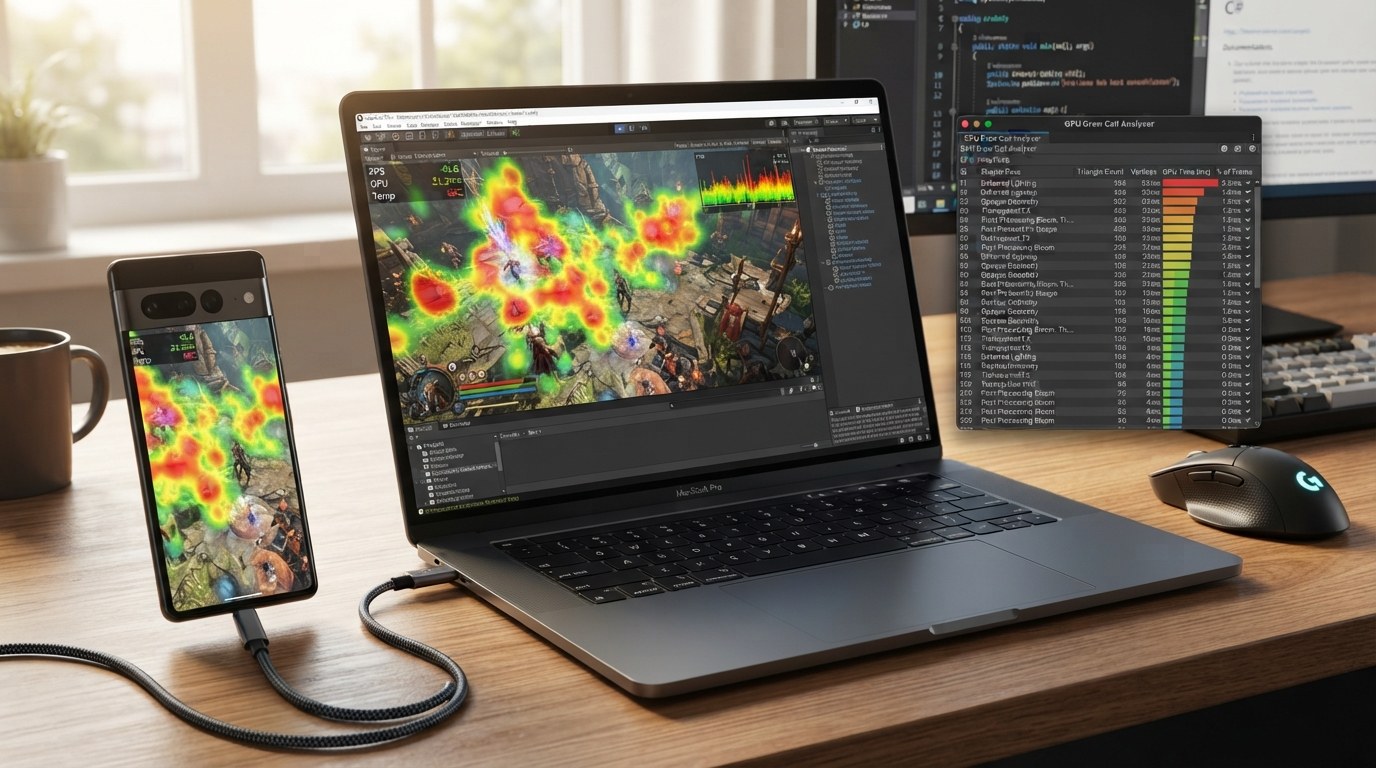
In 2026, platforms actively penalize games for inefficient SoC usage. Use Xcode Energy Log for iOS and Android Battery Historian combined with Perfetto. The main goal is to eliminate "micro-spikes" in power consumption at frequencies above 90 Hz. Check the GPU Resident Drawer operation: ensure that batching actually works and doesn't cause excessive state changes due to custom shaders. A common mistake in hybrid renderers is enabling Dynamic Resolution without tying it to device thermal throttling. Configure Adaptive Performance so that resolution reduction happens before hardware CPU protection triggers. This is critical for stable 60 FPS without sharp energy drops.
Network Layer Stability and AI Inference
Store requirements now include mandatory checks for application behavior under packet loss exceeding 15% and latency over 300 ms. If you are using Netcode for GameObjects Entities or Photon Fusion, implement an aggressive client-side prediction pipeline. The server must be able to rollback state without full resynchronization.Pay special attention to local AI inference. LLM/Transformer models for NPC dialogues are often launched via ONNX Runtime Mobile. By default, they may fall back to CPU instead of NPU/GPU. You must force-enable Core ML delegates (for iOS) and NNAPI/Vendor SDK (for Android). Unauthorized calls to CPU cores for matrix operations will lead to immediate publication rejection due to high battery consumption.
IL2CPP Build Settings and Memory Management
For the final build, use Unity 6.x LTS targeting .NET Standard 2.1 with IL2CPP Full Generic Sharing Tier 2 enabled. Activate Low Overhead Memory Manager in Player Settings. On 2026 mobile devices, address space fragmentation remains a problem even with 8-12 GB of RAM. Set a hard Managed Heap Budget limit in Project Validation Rules. Exceeding this budget will trigger GC.Collect right during action scenes. Replace all dynamic allocations of structs in the Job System with NativeArray using Allocator.Persistent only for long-lived scene data.
- App Size & On-Demand Resources: The base APK/IPA should not exceed threshold values for fast loading. Move cutscenes, high-resolution environment textures, and trained AI model weights into Asset Bundles delivered via Play Feature Delivery or iOS On-Demand Resources. Stores downgrade ratings for games that download hidden volumes of data upon first launch without user notification.
- Privacy Manifests (iOS): With the policies coming out in late 2025 – early 2026, any indirect analytics requires explicit declaration in PrivacyInfo.xcprivacy. Even if Unity Analytics is turned off, third-party font plugins or crash analytics might collect device data. Audit all dependencies before submission.
- Android Vulkan Validation: Run the game through Android GPU Inspector with Vulkan Validation Layer enabled. Any WARNINGs about layout transitions or invalid image barriers reduce driver stability and cause crashes on Qualcomm Snapdragon 8 Gen 4/5 chips.
Before hitting the "Submit" button, conduct a 4-hour test under a thermal hood (Thermal Throttling Test). If the frequency drops below the target mark earlier than one hour in, return to optimizing materials and GI. The release will happen only when the frame rate graph is a straight line, and memory consumption is strictly horizontal after the scene warm-up phase is complete.